Learning and Performance, Professional Development, Training & Development

Twitter to Enhance Learning & Performance

Twitter provides the opportunity to have micro-conversations in 140 characters or less. This social media platform has been repurposed by a number of educators for workplace learning. Twitter is not the only form of professional development available and you do not have to tweet to learn.  That being said, an increasing number of educators have repurposed and remixed Twitter for work learning and performance. You would be surprised what 140 characters can do to create community and interaction online. A number of grassroots initiatives have developed for educators to consider Twitter as part of their professional development plans for informal learning, scholarly development, and shared practices. For me, the last seven years spent on Twitter has been invaluable. This platform continues to provide an open, informal learning space to collaborate and banter with a community of educators. Thanks for that, Larry.

Twitter Bird in the Lattice

Flickr photo c/o Brian Kopp

Twitter is really the “water-cooler” for educators to share news, post reports/trends, read the news, review research, ask questions, gather information, and curate knowledge. Educators are increasingly expressing ideas and links to relevant websites, videos, articles, images, etc. related the workforce.  This commentary and resources were shared for my own learners and other training participants who want to “get started” with workplace learning and performance – so I welcome your shared suggestions for helpful Twitter resources and tips in the comments below.

The Twitter Basics:

Hashtags & Backchannels

GotHashtag

Hashtag: A symbol used in Twitter messages, the # symbol, used to identify keywords or topics in a Tweet. The hashtag was an organic creation by Twitter users as a way to categorize Twitter messages and link keywords posted on Twitter. Besides a current event or pop culture reference, Twitter has been an essential part of the conference tool kit to support sharing on the backchannel. You no longer have to be in-person to engage in the workshops, presented talks, or round table discussions via the live experience. There’s now a full stream of activity created around single hashtags for professional development and workplace learning events.

Here are just a few Hashtags to SEARCH and Follow:  

  • #AcWri (academic writing)
  • #highered
  • #digped
  • #edtech and #onlinelearning
  • #phdchat and #gradchat and #SAdoc
  • #Open and #OER and #openaccess
  • #acadv (academic advising)
  • #StudentAffairs and #sachat
  • And MORE!
  • P.D. hashtags related to your field and conferences, e.g. 2015 Education and Ed Tech Conferences [Psssst… you can add to it if  I’m missing any!]

What Is a Twitter Chat and How to Make the Most of ItTwitter chats are threaded discussions using a hashtag to dialogue about a specific subject.Twitter chats are linked conversations via a single hashtag that participants can search, follow, and include in their own Tweet as they respond during the Twitter chat time. Twitter chats are similar to online chats, forums, or discussion boards; however, they are often synchronous and active during a designated date and time. The hashtag for many chats continues past the “live” event on Twitter for others who want to share and engage. Some Twitter chats guide the discussion or have open topics central theme, while others Twitter chats are moderated in a structured question-response format. E.g. Edu Chat Calendar http://bit.ly/educhatcalendar and the Twitter Directory from IHE. 

Other Twitter Tips & Resources:

EdTech, Learning Technologies

Checklist: Selecting Technology for Learning

With so many possibilities for digital learning, selecting media and technologies for appropriate course instruction is a very complex process. Although there are a wide range of options in the ed tech realm, pedagogical considerations should always come first. Instructors should reflect on the learning objective and desired outcomes for their subject matter before identifying technological applications for the course.

The SECTIONS model, developed by Tony Bates (2015), is a pedagogical framework for determining what technology, specifically how this technology will be appropriate for instructional approaches. This might include identifying and determining pedagogical characteristics of text, audio, video, computing, and social media. With this framework, Bates (2015) asks five critical questions for teaching and learning for technology and media selection:

  1. Who are the learners?
  2. What are the desired learning outcomes from the teaching?
  3. What instructional strategies will be employed to facilitate the learning outcomes?
  4. What are the unique educational characteristics of each medium/technology, and how well do these match the learning and teaching requirements?
  5. What resources are available?

In thinking about the interplay of technology and learning, higher education courses will need to consider how this design process is developed. In this book chapter, Bates shared an alternative approach to the ADDIE model for instructional design – Learning + Technology Development Process Model (Hibbitts & Travin, 2015).

Learning + Technology Development Process Model (Hibbitts & Travin, 2015)Regardless of the model for learning design, it will be important to assess how technology will impact the pedagogy. The SECTIONS model is an effective framework to best inform instructors when deciding what media or technology to use for face-to-face, online or blended learning courses:

  • Students
  • Ease of use
  • Costs
  • Teaching functions (including the affordances of different media)
  • Interaction
  • Organizational issues
  • Networking
  • Security and privacy

I would encourage you to utilize Bates’ (2015) Questions to Guide Media Selection and Use, to support your learning design when consider technology adoption for teaching. This open, shared educational resource will provide you with a broader reflection on issues and considerations for your digital pedagogy. Here is an abbreviated checklist for selecting technologies for learning I adopted for a learning module. It was developed for faculty who would like to consider the broader issues for teaching with technology, and how to navigate this course planning process for digital/media inclusions.

Checklist: Selecting Technology for Learning

STUDENTS

  • Review accessibility mandate or policy of your institution, department or program.
  • Determine demographics of the students and appropriateness of technology.
  • Consider student access to technologies, both off campus and on campus.
  • Determine digital skills and digital readiness of your students with learning expectations.
  • Justify students purchases of a new technology component (if needed) for learning.
  • Assess prior learning approaches & how technology can support student learning.

EASE OF USE

  • Select the technology for ease of use by instructor and students.
  • Identify technology that is reliable for teaching and learning.
  • Verify the technology set up, maintenance and upgrade are simple.
  • Confirm the technology provider/company is stable to support hardware or software use.
  • Outline strategies to secure any digital teaching materials you create should the organization providing the software or service cease to exist.
  • Locate technical & professional support, both in terms of the technology and with respect to the design of materials.
  • Determine technologies to best support edits and updates of learning materials.
  • Outline how the new technology will change teaching with to get better results
  • Assess risks and potential challenges for using this technology for teaching and learning.

COST & YOUR TIME

  • Consider media selection by the length of time and ease of use during course development.
  • Factor the time it takes to prepare lectures, and determine if development of digital learning materials will save time and encourage interaction with students (online and/or face-to-face).
  • Investigate if there is extra funding for innovative teaching or technology applications; if so, determine how to best use that funding for learning technologies.
  • Assess the local support from your institution from instructional designers and media professionals for media design and development.
  • Identify open educational resources for the course, e.g. an open textbook, online videos, library page of articles, or other potential open educational resources.

TEACHING & LEARNING FACTORS

  • Determine the desired learning outcomes from the teaching in terms of content and skills.
  • Design instructional strategies to facilitate the learning outcomes.
  • Outline unique pedagogical characteristics appropriate for this course, in terms of content presentation and skill development, specifically for:
    • Textbook, readings, or other online text materials;
    • Audio, such as podcasts, streaming audio from news, etc.;
    • Video, such as slide presentations, lectures, tutorials, and screencasts; and
    • Social media, such as blogs, wikis, microblogs, photo sharing, curation, etc.
  • Plan learning aspects that must be face-to-face (in-person or online).

INTERACTION

  • Identify the skills for development and interactions that are most to determine the best type of media or technology to facilitate this learning.
  • Determine the kinds of kinds of interaction to produce a good balance between student comprehension and student skills development.
  • Estimate the amount of time the instructor will be interacting personally or online with students, and the type of medium for this interaction.

ORGANIZATIONAL ISSUES

  • Determine institutional support in choosing and using media or technology for teaching.
  • Identify if the institutional support is easily accessible, helpful, and will meet the needs for the learning technologies for the course.
  • Determine if there is funding available to “buy me out” for a semester and/or to fund a teaching assistance/support to concentrate on designing a new course or revising an existing course.
  • Locate institutional funding or resources for any learning technology or media production.
  • Review the standard technologies, practices and procedures for teaching and learning, to verify requirements for utilizing institutional technology resources, i.e. the learning management system, lecture capture system, etc.
  • Determine if the institution will support trying a new technological approach to learning, and will support innovative media or digital design.

NETWORKING

  • Outline the importance for learners to network beyond a course, i.e. with subject specialists, professionals in the field, and relevant people in the community.
  • Identify how the course or student learning can benefit from networking and learning from external connections.
  • Determine the appropriate network and/or social media space to integrate for your learners to network with each other and connect with external community members.
  • Integrate these networking mediums with standard course technology.
  • Delegate responsibility for its design and/or administration to students or learners.

SECURITY AND PRIVACY

  • Determine the student information you are obliged to keep private and secure.
  • Identify the institutional policies for security and privacy for teaching & learning.
  • Outline potential risks and challenges of using a particular technology where institutional policies concerning privacy could easily be breached.
  • Identify who at your institution could best advise you on security and privacy concerns, with regards to learning and teaching technologies.
  • Itemize the areas of teaching and learning, if any, available only to students registered in the course.
  • Identify the types of technologies to best restrict or limit access to course materials (if any) for my registered students.

Interested in reviewing your own learning design further? DOWNLOAD the Checklist: Selecting Technology for Learning

Reference:

Bates, A. W. (2015). Chapter 8: Choosing and using media in education: The SECTIONS model. From Teaching in a Digital Age. A Creative Commons Attribution-NonCommercial 4.0 International License. Retrieved from http://opentextbc.ca/teachinginadigitalage/

Hibbitts, P. D., & Travin, M. T. (2015). Learning + technology development process model.

ACPAdigital, StudentAffairs

ACPA Digital Task Force: Report and Higher Ed Live Discussion

Last year I was invited to join the ACPA Digital Task Force – so you might have read a few blogs (here, here, here, & here) about my involvement or tweeting about the issues we were working on using the hashtag #ACPAdigital

The Role of Digital Technology in Higher Education.
Direct Video Link http://videos.myacpa.org/the-role-of-digital-technology-in-higher-education

The former ACPA President, Kent Porterfield, in conjunction with the ACPA Board of Governors and International Office established the ACPA Digital Task Force (#ACPAdigital). The #ACPAdigital group, led by Ed Cabellon and Tony Doody, was charged with “understanding how to advance the application of digital technology in higher education, informed by student affairs scholarship and practice, to further enhance ACPA’s influence and its role as a leader in higher education in the information age.

taskforce_draft

Last week ACPA shared the Draft Report and Recommendations document, which included our contributions made over the last nine months. Each sub-group of the taskforce researched and/or worked on various projects to provide insights for student affairs educators in the follow areas:

  • Scholarship and Research
  • Teaching and Learning
  • Organization Infrastructure of ACPA

Here are the emergent themes from the#ACPAdigital report:

  1. Integrate digital technologies that advance teaching and learning within higher education.
  2. Design training and development opportunities to enhance college student educators’ use of digital technologies.
  3. Invest in the creation and dissemination of research and scholarship in digital technologies.
  4. Develop the infrastructure and resources appropriate to ensure sustainability and relevance in digital technologies.
  5. Establish and grow strategic collaborations and partnerships to capitalize on existing resources for higher education.
  6. Ensure equal opportunity to the resources necessary for full engagement with digital technologies.

Please read and review the FULL REPORT, and provide any comments you have to Tony or Ed. We would love to get your feedback, questions, and thoughts on the draft.

UPDATED (April 1, 2015):

Learn more about this report from the Higher Ed Live show (4/1/15) as the #ACPAdigital Task Force chairs discuss our work, the draft report, and how digital will impact student affairs educators on The Future of Digital Education show. Please follow @HigherEdLive & all the tweets from #HigherEdLive and #ACPAdigital. READ: The show “Notes” (tweets) on Storify. Or WATCH the recording here:

Book Review, Open Education, OpenAccess

The Battle for the Open [Needs YOU Higher Ed]

If you have not had the chance to read The Battle for the Open by Martin Weller – you should. The battle for all things open in higher education is still being waged. As Martin said,“I’m not sure I believe in revolution in education.” But there is change ahead with openness in post-secondary learning. If you work in post-secondary education, you can not avoid this battle and should probably read on to learn about Martin’s perspective.

[Full disclosure: Martin sent me a copy of the book; however he knows I would give him praise & banter with it as needed. Thanks @mweller!]

BattleOpenThe Battle for the “Open” shares how higher education is moving towards open practice and scholarship. The goal of OPEN is to share openly, use open sourced resources, and consider strategies to include open education resources (OER) for teaching, research, and service scholarship.

Last fall, Martin paid a visit to Texas to talk with the UTA LINK Research Lab, specifically to share how openness is impacting higher education. Martin’s talk focused on a few key areas he addresses in his book:

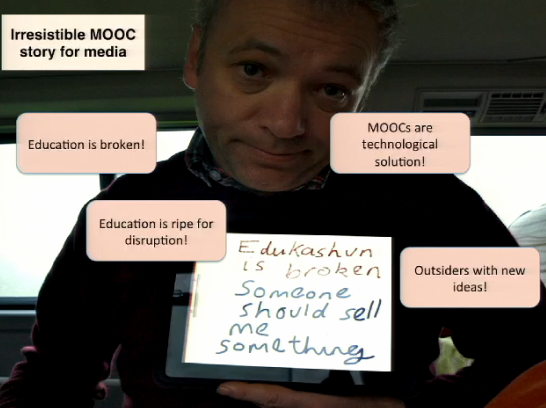
@mweller and all the narratives

  1. Open Access – Pathways for free online access to online scholarly works have been created. There are two routes for open access: 1) Gold Route – pay to publish an article; and 2) Green Route – self publication;  often on your own website or institutional repository. There are major policies which mandate publicly funded research to make their findings publicly available – countries are forced to publish open access. For example, 51% of authors have published open access from the Wiley survey. Read more about The Development of Open Access Journal Publishing from 1993 to 2009.
  1. Open Education Resources (OER) – Initially started in 2001-2002 with the MIT OpenCourseWare project, and has continued with others such as the Open Learn initiative from the Open University and OER Commons. Open textbooks, like OpenStax, sell for the cost of the degree and impact the publication process of textbooks. The OER Research Hub increases access to course materials earlier and even in advance of the course start, with efforts like the #OER Impact Map to understand where open education resources are being developed.
  1. Massively Open Online Courses (MOOCs) – The big, free, and online courses came out of Canada, initially,…then Google Trends chart the course of the MOOC evolution into higher education. It turned out it was not just the Canadians who were interested in MOOCs. Licenses of developed and were then restricted for each of the edX, Coursera, Udacity, etc. environments. For learners, MOOCs are free to sign up, allow open access of material, and with varied creative common rights for education.  Many of these MOOCs moved into other learning management systems or varied delivery methods. With this education platform, rose issues of support and sustainability for learners. Some say that MOOCs have high-jacked what openness really means, because if you fail at a MOOC, there is a reaffirmation that open/online learning is not really for you. This might not be the case.
  1. Open Scholarship – Martin’s book, The Digital Scholar (and my recap blog post), discusses issues and challenges academics will encounter as they move online and shape their identity in the networks. Scholars are increasingly sharing information, resources, teaching curriculum, commentary, medias, and ideas in digital spaces. The growth of our networks in academia allow researchers to connect, collaborate, and contribute. The social networks also shape our identities and influence us in these spaces. Research opportunities emerge in the open, specifically with the art of guerrilla research (Martin, 2014):
    • Involves 1 or 2 researchers, and does not require a team
    • Relies on open data, information & tools
    • Fairly quick to realize
    • It is disseminated via blogs and social media
    • It does not require permission

It is critical we engage and participate in this open discussion in higher ed. If we don’t, then we will let someone else write this narrative and direct where post-secondary scholarship and learning is directed moving forward. Ultimately the battle for the open is really the battle of ownership –who owns what? Have we lost the ownership of  online learning? Can we restrict research and scholarship? What rights do we have for curriculum and educational resources? Now that “open” is prevalent in higher education, it cannot be avoided. As Martin says, “Openness is not just a peripheral interest now.” How does openness impact your role on campus, and how will you contribute?

References:

Weller, M. (2011). The digital scholar: How technology is transforming scholarly practice. Bloomsbury Open Access. DOI: 10.5040/9781849666275

Weller, M. (2014). The battle for open: How openness won and why it doesn’t feel like victory. London: Ubiquity Press. DOI: http://dx.doi.org/10.5334/bam