Podcast, Professional Development, Research

The Higher Ed Podcast Project

Podcasts. This mobile, audio medium has been circling the Internet since 2004. Podcasting has evolved so much since its birth. Over the last few years, there’s been a growth of fantastic of podcasts to listen to and enjoy. If you have not heard someone talk about podcasts in the past few years, I would be very surprised. There are LOADS OF PODCASTS!!! Earlier this year, NPR podcasters spread the pod love via the #trypod campaign. The goal was to share what podcasts you listen to via the #trypod  hashtag. For just over a decade, I have enjoyed listening to a variety of podcasts on my commute, while running, on vacation, or just strolling with my pup. These portable stories, events, and news pieces have entertained and educated me on the go — it was like radio on-demand! My pod streams are filled with amazing content to enhance my personal and professional development and offer new insights about the world around me. I have learned so much from listening to podcasts – new ideas, book recommendations, or introductions to new people – there are so many takeaways pouring into my earbuds.  So many podcasts have contributed to my learning, teaching, research and practice in higher education … and I am not surprised to learn others subscribe to podcasts for their professional learning and development as well.
A growing number of higher education students, staff, and faculty are listening AND learning from podcasts. The wealth of information shared on a video/audio podcasts allows listeners to learn about resources, ideas, and information to enhance the work we do at our institutions. These mobile-friendly, portable PD resources are not only consumed, but they are also being created and produced by higher education colleagues and organizations. So what is the state of podcasting in higher ed?

To learn more about this and explore what is happing in post-secondary podcast land, let me introduce you to the Higher Ed Podcast Project.  We want to CURATE and SHARE podcasts impacting professional learning and development for higher ed peers, specifically to answer the following questions:

  • What video/audio podcasts are higher education professionals (graduate students, faculty, and staff) listening to for learning and development?

  • What podcasts are being produced/created for and in higher education (non-lecture/classroom-based)?

  • How has podcast consumption impacted or influenced the work (teaching, research, or service) you do in higher education?

Definition & Focus for Project

We are interested in exploring podcasts in higher education for professional learning and development; however, we want YOU to understand how we are defining a “podcast” as this medium has taken a number of shapes and forms over the years. For our research purposes, we are defining a podcast and our research focus as:

  • the podcast content is created and shared to support professional development, learning, and/or information distribution
  • the podcast has a target audience might include graduate learners (e.g. masters or doctoral researchers), professional school students (e.g. social work, medicine, etc.), staff/administration, and/or faculty in higher education
  • the podcast is in an audio and/or video format that can be subscribed, downloaded, and/or streamed from an electronic device (e.g. computer, laptop, tablet, or mobile)
  • the podcast is a program, show, broadcast, and/or episodes with a specific purpose or topic focussed on the higher education domain
  • the podcast includes original content development intention: it was designed for a podcast, e.g. we are not including a recorded college/university lecture, conference panel/presentation, professional learning webinars, recorded meeting, etc. (unless it was edited to fit into a podcast)
  • the podcast can be active or inactive

What podcasts are YOU listening to, Higher Ed?

To help this higher ed podcast project, we want to openly curate a LIST OF AUDIO and VIDEO PODCASTS dedicated to higher education professionals. This OPEN call for podcasts will help us understand and SHARE the current state of podcasting in higher education. This is where you come in. Please ADD to the higher education podcast list (and other podcasts on the second tab) to let us know what YOU listen to for your professional learning and development: 

http://bit.ly/higheredpodcasts
Want to learn more? Check out our research site: https://higheredpodcasts.wordpress.com/

Learning and Performance, Learning Community, PLE, PLN, Professional Development, Virtual Communities

Learning and Development on a Backchannel

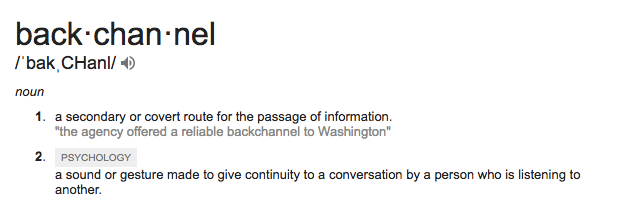
Lately,  I have been thinking a lot more about backchannels for learning and development (L&D) as I chat with folks involved with networked communitiesIn education, there is no doubt you have heard about a backchannel for learning, whether it was during a conference or at a professional meeting. You’ve most likely even participated in some sort of backchannel — even BEFORE technology crept into your educational practice. Let’s return to the original meaning of the word, shall we:

Backchannel learning is a “covert” way we are sharing our educational experiences online. It’s like we’re in the back of the classroom passing notes — except now it is digital and openly shared, and (probably) more productive than it was when we were younger. Maybe.

Our digital and connected backchannels allow this note-passing to augment what is happening at a specific moment in time. Today’s backchannels offer a way to showcase professional development opportunities, disseminate scholarly research, distribute resources for practice, curate knowledge from an event, and archive the learning so that it “lives” beyond a geographic location, calendar date, etc.

Et Voila: Pull To Open image c/o Flickr user kpwerker

One popular way to participate in a backchannel during a conference is by using the designated Twitter hashtag when posting tweets [Hashtag: A symbol used in Twitter messages, the # symbol, used to identify keywords or topics in a tweet. The hashtag was an organic creation by Twitter users as a way to categorize Twitter messages and link keywords posted on Twitter.] Here is an example of a study comparing #AERA15 & #AERA16 hashtag usage (Kimmons & Veletsianos, 2016).

Increasingly, I see peers tweet quotes from keynotes, articles from scholars, ideas for practice, and I am often entertained by interactions between colleagues I know — all from the comforts of my home office. With a small travel budget and too much data to collect this summer, I appreciate the ability to jump into this type of backchannel to learn about the conversation as these are rich threads that dig into issues and upcoming trends we see in the field. Additionally, if you’re keen you dip into other types of meetings from other organizations to learn more about how their discipline/functional area could influence your own professional work.

Beyond the typical conference or professional meetings, we also see similar traces of L&D happening on a backchannel to be paired with a webinar, business meeting, streaming keynote, and campus program/initiative.

With new technological affordances, there are many other ways we can create backchannels for learning and ways to develop talent. For example, here is how I use Twitter and WordPress as a backchannel with  first-year seminar class, #ugstSTORY [ARCHIVED CLASS]:

I am impressed to see a number of my colleagues use a number of OTHER technologies that are social and connected to create backchannels for L&D online — here are just a few examples– but there are LOADS to search and discover:

  • #phdchat wiki: This is a PBworks archive is from the initiative of the all the Twitter sharing and discussions hosted with the #phdchat hashtag. This community supported me during much of my doctoral research. There is a wealth of information shared and curated on this wiki site. Although this space has not been edited in over 3-years the #phdchat community lives on. Thanks for moderating and cultivating this community, @NSRiazat.
  • Digital Storytelling 106 (#ds106): is an open, online community/course from the University of Mary Washington by instigator(s) of the domain web (ahem… @jimgroom & @cogdog). Course Requirements: a real computer, a hardy internet connection, preferably a domain of your own and some commodity web hosting, and creativity. TUNE into #ds106 radio streaming: http://ds106.us/ds106-radio/
  • Teaching In Higher Ed PodcastSlack Channel: The wealth of information shared in this podcast since June 2014 is amazing and I’m thankful for how Bonni (@bonni208) brings in various guests to support my own professional development for pedagogical planning and to support my own teaching in higher ed. Beyond this regular audio podcast, she also has a community of listeners who she connects to and with via her Slack backchannel and via Twitter.
  • Virtually Connecting (@VConnecting): The virtual buddies bring a small group of on-site and virtual folks together at professional and academic meetings via YouTube Live (formerly Google+ Hangouts) to have a “hallway conversation” about the relevant issues, conference experiences, and to host a conversation at different conference events. They welcome new virtual friends and typically have a Google form for you to complete in advance to sign-up OR you can watch the wealth of archives from previous V-Connecting sessions on their YouTube Channel. Kudos to, and for starting this initiative.

Thinking About Finding a Backchannel for L&D? Here are a few suggestions for hashtag backchannel communities on Twitter:

OR maybe you want to START your own L&D backchannel? Think about your PURPOSE/GOAL first, and then browse these digital spaces and places for initiating a learning backchannel for your professional interests and development:

What digital spaces do you use for your own learning backchannels? How do you engage in professional development via online backchannels? Let me know!

References

Kimmons, R. & Veletsianos, G. (2016). Education Scholars’ Evolving uses of Twitter as a conference backchannel and social commentary platform. British Journal of Educational Technology, 47(3), 445—464.

Muñoz, C. L., & Towner, T. (2011). Back to the “wall”: How to use Facebook in the college classroom. First Monday, 16(12).

Online Learning, Teaching

Advice for Teaching at Scale Online

There are a growing number of learners online. The recent report, The Changing Landscape of Online Education (CHLOE) from Quality Matters, shared that “more than 2.1 million fully distance undergraduates (12% of total) and 770,000 fully distance graduate students (26% of total) are online learners.” Over the last three years, I have been working completely online as a faculty member and with a distributed research group. I am also fortunate to collaborate remotely with scholars and practitioners to study talent development in higher ed (e.g. mentoring). Much of my work centers around how we support working and learning online in higher ed. Besides investigating how learners persist in open online environments (Veletsianos, Reich, & Pasquini, 2016) I am also concerned with how networked experiences impact/influence our higher education practice. Previously I shared how I support online learners, but many of you might not realize I instruct A LOT of students each academic term. So this post dedicated to the behind the scenes way to scaffold the LOGISTICS of teaching a LARGE ONLINE COURSE and how to support MANY DISTRIBUTED LEARNERS. This post comes with a strong caveat: I am still learning. Always.

First, identify your instructional NEEDS as you organize your large online course. You will need to establish a team of support, that might include: instructional designers, instructional technologist, graders, industry mentors, and/or teaching assistants (TA’s). Do you need help grading assignments? Is there one project you want external reviewers/peers to support, evaluate, or be a part of your lesson? Will you need aid in encouraging social learning through discussion forums, team wikis, or other group activities? Are you looking to redesign a section or project in your course? Try to set this up before the term (if available/teaching assignments are set early enough) and continue to assess the pulse of my teaching team support. I am grateful for colleagues who have joined my class to present, speak, mentor, or offer peer review of final projects. I have also been quite fortunate in working with some amazing teaching assistants/graders (repeatedly) from our doctoral program over the last few semesters. Now that these folks have to focus on their own research scholarship to Ph-inishe-D their dissertation, I am currently thinking about how I manage remote workers for distributed instructional support. Here are my “notes” for training/onboarding new online learning TA’s & graders:

  • Setting Expectations: Establish standards and norms within the instructional support team – including orientation to the course site, review of learning modules, a copy of syllabus with key points highlighted, learning outcomes, and course schedule.
  • Grading Tools & Resources: Identify the means and methods for grading and learning support — this includes division of labor into cohorts/sections, grading rubrics for all assignments, and sample feedback to give for each course activity/assignment.
  • Communication: Organize time and/or spaces to “talk.” This could be a regular meeting schedule to host a synchronous web conference/phone/Skype chat, open/online office hours on-demand for 1:1 meetings, backchannel conversation (e.g. Slack, Yammer, Google chat), and send regular reminders to the group by email for longer instructions/information.
  • Shared Digital Work Spaces: Outline virtual spaces to support the instructional team. Virtual teaming can help with grading, e.g. shared Gooogle Docs for feedback/comments/suggestions for assignments, shared file system for saving assignments/projects, and other spreadsheets/collaborative tools or platforms you might use to “work” beyond the learning management system(LMS) or course site.
  • Learner Support: Create common communication practices among the team (group email) and expectations for responding to learner messages/email is critical. To be firm and fair, we must be consistent with assignment deadlines (I hold a no late work policy, outside of health/emergency situations) and we do our best to answer messages from learners in 24-48 hours and TA’s/graders copy (“cc”) the lead instructor on email conversations with learners.  Each course has a “Peer-to-Peer Support” discussion forum where learners can ask questions, get advice, post articles or resources, work out issues from a module, etc. with their classmates. The TA’s and I will “check-in” on these to see if all questions have been answered with the correct information. Finally, we identify when and how synchronous online meetings (group advising, mini-lessons, or office hours) should occur — based on the section of the course and/or inquiries for assignments.

Second, organize your online course WITH your learners in mind, that is your direct instruction, learning objects, and engagement activities. Similar to the planning notes I shared about the instructional team management, offering similar strategies for support are key for working with my online learners (listed above).  Here are my notes for what my regular

  • Start with Orientation: Think about both pedagogical design and delivery as you structure a large online course. Consider how will orient, support, and communicate with your learners over the semester. Introduce them to sections of your syllabus, key areas to move through the course, and where to get access to help on campus and online. Also, be sure to identify the learning spaces,  support resources, and design components required to be an effective learner within your course.
  • Get to Know Your Learners: Assess who is in your class. Do you know who is in your class? Why are they taking this course? Is it required, an elective, or other?  I often have my students complete a Google form to share information about themselves and experiences with online learning, the subject matter, and to identify their own learning goals at the beginning of the term (e.g. from Spring 2017: http://bit.ly/ltec3010sp17). Understand where and how your learners are approaching this course and their motivation/goals for the semester. Keep their goals and backgrounds in mind with your learning content.
  • Share Valuable & Timely Information: Produce weekly reminders of readings, activities, and assignments help to provide multiple insights and ideas around the topic of the module or week’s lesson. Often I collect (and tweet) multiple resources on a class hashtag ( e.g. my instructional design/facilitation course hashtag #LTEC4440) and I will highlight a couple of key readings/articles/videos/podcasts in the regular weekly course announcement/email that is pushed out to my students. that might be relevant for my students.
  • Build a Community of Support: In a scaled online course, you need to set your learners up to interact with peers online to enhance their social interaction and offer assistance. If you do not set these up, then you are setting up yourself for multiple messages, open boundaries, and unrealistic expectations for all in a large, distributed course. Consider looking at your learning activities and curriculum design to see if you currently support the followings types of interactions to offer more engagement in your course (Sheridan & Kelly, 2010):
  1. Learning–content interaction: Do your students engage and interact with your course content to make dig deeper into the subject? How are you helping learners make meaning with learning objects they interact with online? Are they reflecting, curating, discussing, applying, or analyzing your course materials and not just consuming information? Learners who interact with learning content tend to get a higher grade (Zimmerman, 2012).
  2. Learner–learner interaction:. Peer support is everything in online learning. I leverage the Peer-to-Peer Support for discussion forums, team projects, research proposals on wikis, feedback on video presentations, and more! Your learners often like to collaborate and share ideas on challenging concepts with multiple platforms. How will you support this type of virtual teaming?
  3. Learner–instructor interaction: How are you “present” in your online class at the instructor? Being visible online is critical for your students learning outcomes. Learners often are motivated and enthusiastic about your course, if they see you are present online. This might be participating in discussion forums, offering video or audio feedback to assignments, summarizing modules in advance, and perhaps offering synchronous (+recorded/archived) online class meetings for feedback, questions, and more. I keep track of announcements and media files that I can utilize in the future with very little edits and related transcripts for accessibility needs.
BreakDrink, EdTech, Higher Education, Podcast

@BreakDrink Podcast, Episode No. 5: Digital Redlining with @hypervisible

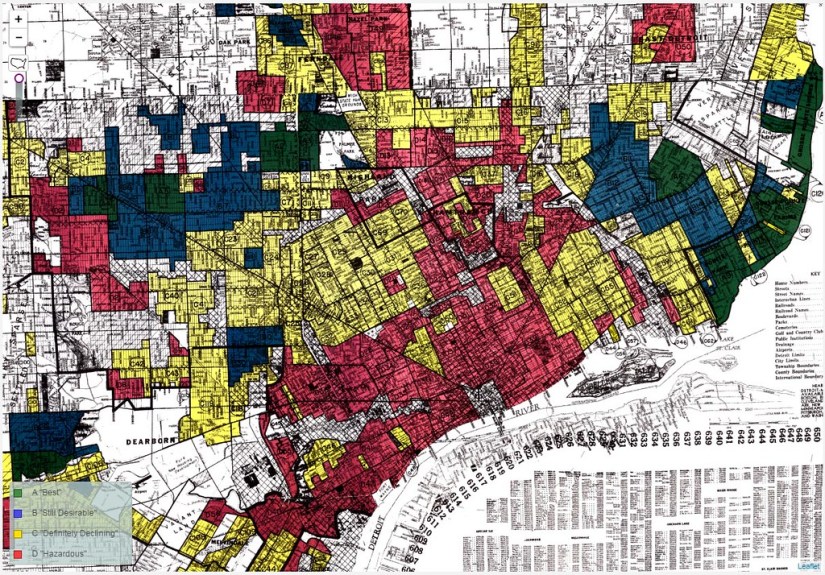
In @BreakDrink episode no. 5, we chatted about LOADS of things related to our assumptions about access, policies, and practices in have higher education, specifically with regards to technology and learning. Last year for 2016 #OLCInnovate, I invited Chris Gilliard to share his work on Digital Redlining for a short “Ignite-like” talk. Why do we assume everyone has access to the Internet? Or a device? Or access to the same digital learning resources? What do we know or care about privacy and our data? Thanks for joining us to podcast on the topic, Chris. We suspect you’ll be back to chat more with us sometime about similar issues… and anime, of course

Here are a few show notes, ideas, and resources shared in @BreakDrink episode no. 5 with Chris:

Information Literacy, Filtering & Access

Online Access & Web Architecture

Do you KNOW what limitations to your search or access to your knowledge is like at your institution? Understanding Google Search Algorithms & SEO

Journal Access & Journal Databases: What are your resources or limitations? What can you not find that is not accessible on Google Scholar?

  1. Scholar Buddy Search – Find a friend at a larger university/college + ask them to search a topic (or borrow a password) to compare search results
  2. #icanhazpdf hashtag – Ask a friend on Twitter to email you the closed or pay-for-play publication
  3. Alternative creative ways to search: Find a romantic partner at a larger institution; academic citizenship acquisition? Or other ways to search for journal articles and here.

Searching Online & Information Literacy

The process of how information is shared needs to be explained. There are issues with walling-off information, the privatization of knowledge, and those who are moving towards a blockchain in higher ed. – explain what this means for limitations to information/knowledge.Do we teach our students to go beyond the first page hits on the Google search page? Do you know How Google Search Works? Much of our civic online literacy skills could be developed in order to hold ed tech & technology companies more accountable

Technologies in higher ed have many inequalities and technology is not neutral. Want to get more political for higher ed & #edtech? I’ll let Audrey Watters take this one: The Politics of Ed Tech Issues in higher ed are real for all of our campus stakeholders — students, staff, and faculty. These issues are around privacy, cyberbullying, trolling data security, and more. We need to be asking more about the technologies to learn what is ethically right and the limitations to these platforms, applications, and digital resources.

For a start, why don’t we learn more about privacy. Perhaps, it’s time we take a “short course” on privacy and what it means to be online, connected now. Check out the Privacy Paradox created by Note To Self. There are 5 podcasts and actions you do to take back your privacy & data. BONUS LISTEN: Privacy, Data Survivalism and a New Tech Ethics

We Need To Ask More About…

  • Do we really care about privacy online? Are we putting thoughts into the spaces and places online we are working with our learners?
  • Pew Research – State of Privacy in America  & Online Privacy & Safety articles
  • Do we know how our learners access educational materials and resources at our colleges/universities?
  • Cell-phone dependent students: the learner’s main access for Internet is their mobile device which is problematic as this is their main way to complete coursework, assignments, projects, etc.. (e.g. Educause 2015 mobile study & Case Study from Australia)
  • Do we think about the digital divide when considering our practices in higher ed for teaching, service & support?
  • Are we thinking about the platforms & apps we’re requiring our learners to use and how these technologies might be “sucking up their data”? We should.

@BreakDrink Books for Recommended Reading:

Here’s how to connect with Chris Gilliard to learn more about his work and this topic:

@BreakDrink Podcasts Shout Outs/Recommendations:

If you have comments, questions, or feedback about this podcast episode, please feel free to post a comment below, or follow us on the following the “BreakDrink” podcast channels:

We welcome banter & comments there. If y’all listen to the podcast via iTunes, please consider leaving us a rating and review.

Networked Community, Professional Development, Research, video, Virtual Communities

What Communities and Hashtags Connect You On Twitter?

Twitter is commonly used for learning & development. We know that hashtags are great ways to link conversations, trends, news, and happenings on this social network. In real time, you can follow a story, participate in a conversation, and contribute to a community by including a hashtag in your tweet. A hashtag community might be formed by an instructor for a specific educational course or program. Or maybe there is a hashtag you are following for a professional learning event or for a specific conference backchannel (I’ve been known to inquire about these before). Hashtags have the power to share learning/knowledge from a conference for participants who are on-site or at a distance.

GotHashtagFor example, Kimmons and Veletsianos (2016) examined the tweets shared during the 2014 and 2015 American Educational Research Associations (AERA) annual conferences by reviewing the #aera14 and #aera15 hashtag. They found that backchannels are a venue for both scholarly and non-scholarly communications. It’s used for more than just promotion — the conference backchannel offers a way to share work, engage in scholarly conversations, and discussion current events or issues relevant to education.  Want to learn more? Watch the Research Shorts video below:


Conference participants gave a nod to other educational communities online, such as #edchat or #edreform, who regularly dialog, share, and interact with one another on Twitter using their group hashtag.

Like a number of educators, I have an affinity to a few Twitter communities online based on the hashtags they share and use. Some of these groups have regular  Twitter chats, and a number of Twitter communities offer support, advice, and guidance within a field or discipline. I’ll give a hat-tip to (one of many) a hashtag that supported my own work as a doctoral researcher active on Twitter => #PhDchat. This informal, online network has been known to support many graduate students work through dissertation/thesis development, swap research methods, and learn about effective academic writing practices (to name a few). emergent, online community is an informal network. Learn more about the #phdchat community from Ford,  Veletsianos, and Resta’s (2014) as they share their examination of this emerging, online network:

As some of you might know, I am working with some stellar researchers to learn more about how these online, informal Twitter communities/hashtags impact professional development.  We are currently gathering hashtags that you connect to for conversation and community on Twitter. If you participate in a regular/semi-regular Twitter chat with other educations — tell us about it! Or is there just a hashtag you follow and use frequently in your tweets? Let us know! Share your hashtags & Twitter chats you have in your discipline, field, or occupation by ADDING  to this OPEN Google doc — SHARE your Twitter Community and/or Hashtag here: http://bit.ly/hashtagcommunity Thank you!

References:

Ford, K., Veletsianos, G., & Resta, P. (2014). The structure and characteristics of #phdchat, an emergent online social network. Journal of Interactive Media in Education, 18(1).

Kimmons, R. & Veletsianos, G. (2016). Education Scholars’ Evolving Uses of Twitter as a Conference Backchannel and Social Commentary Platform. British Journal of Educational Technology, 47(3), 445—464.

Want to see more visual research? I suggest you go take a look at Research Shorts on YouTube => Subscribe & Watch NOW: http://bit.ly/researchshorts