Conference, Higher Education, Learning Technologies, Professional Development

TIDE is Coming In for Developmental Educators

The Technical Institute for Developmental Educators (TIDE) will be held at Texas State San Marcos from July 26-31, 2009.  This is an interesting, hand-on technology workshop sponsored by Texas State University, CRLA and NADE fo higher ed folks interested in utilizing technology in their work.

Those who should attend include:

  • Developmental educators in higher education who want to learn more about how to use technology
  • All expertise are welcome; workshops beginners to advance
  • Both PC and Macintosh platforms will be available
  • Project support for initiatives at respective institutions
  • Opportunity to receive 3 hours of graduate credit or continuing education credit.

There will be at least 6 mini-course sessions (3 hours each) throughout the week, to introduce various learning opportunities with technology and enhance skills.  There will also be daily mentoring group meetings to debrief and support project development.
Learning Technologies

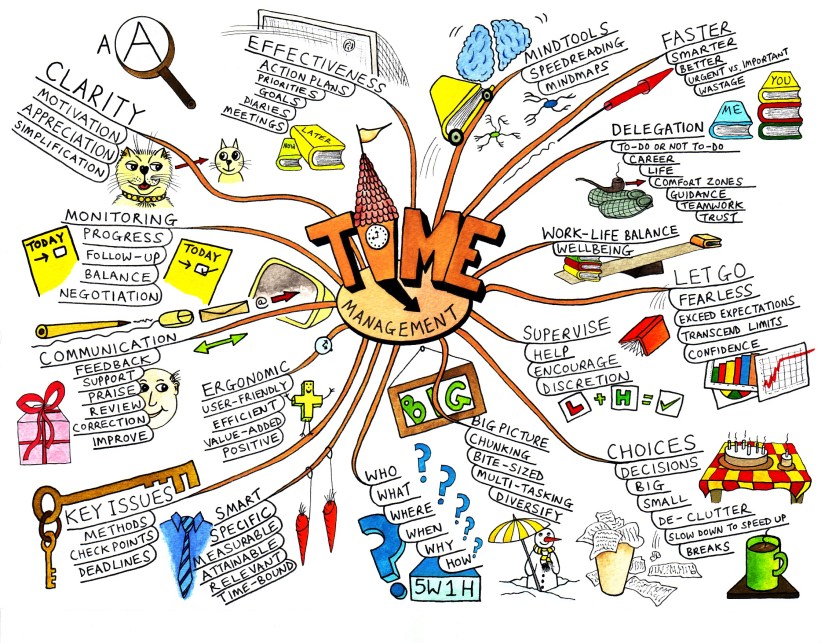
Mind-Map It Out.

To help process information it is always great to introduce a mind map as an effective learning tool.

A mind map is a diagram used to represent words, ideas, tasks, or other items linked to and arranged around a central key word or idea. Mind maps are used to generate, visualize, structure, and classify ideas, and as an aid in study, organization, problem solving, decision making, and writing. (c/o Wikipedia.org)

mindmap_2

(c) Mind Tools Ltd

There are a few online tools that best support the mind-mapping approach for learning. Lifehacker.com recently reviewed the Five Best Mind-Mapping Applications for online mapping action. These tools are FREE & very user-friendly.

These resources are quite useful for both learning and teaching. There are plenty of online mind-mapping resources to support visual learners which makes mapping information fun!

Map on, my friends. Map on.

Learning Technologies, Social Media

Share Your Slides.

Do you have a stellar presentation that you would like to share with your students, faculty or staff?

Then join the SlideShare community!

slideshare

You can post your presentation slides online to share with individuals & organizations.  It is also a great knowledge-sharing community where you can connect with other interesting presentations & topics.  This is an eco-friendly way to share presentations post-lecture, conference or meeting.

Some of the things you can do on SlideShare include:

– Embed slideshows into blogs or websites.
– Share slideshows publicly or privately.
– Synch audio to your slides.
– Market your own event.
– Join groups to connect with SlideShare members who share your interests
– Download the original file

Conference, Higher Education, Learning Technologies, Professional Development

Campus Technology Conference 2009

Campus Technology Conference

July 27–30, 2009
Boston Convention and Exhibition Center

Reasons to attend:

  1. A New Approach to your Academic Technology Future
  2. Real Information from the Real World
  3. Nonstop Networking Opportunities
  4. Collegial Environment
  5. The American Experience


If you can make the conference, I am sure that it would be well worth it.  I know that my professional development budget has been spent, so I will just stay tuned for the archives.  Here are recordings from the 2008 Conference.

For more information & updates be sure to follow @Campus_Tech on twitter.


Update:  Just found a FREE Conference from Purdue University if you happen to live close by.  

TEACHING AND LEARNING WITH TECHNOLOGY CONFERENCE
April 21- 22, 2009

Learning Technologies

Technology Assists Learning.

Technology is often created to make things more efficient and our lives easier.  I also think that there has been excellent developments in the field of technology to support our various learning needs. 

New technology, such as the Kindle II e-reader, are supporting learners who have disabilities and also offer text-to-speech support.  I think I first viewed this gadget as a new reading toy, but this little device has such a greater purpose for supporting learners.

  Other technologies that are assisting the classroom include:

  • SMART Boards: interactive white boards engage learners
  • Free video lectures: streamed on the internet or downloadable
  • Class portal: lecture notes, slides & other course material; discussion board and option for virtual office hours

Students are using technologies that are often free, social and portable:

  • Accessible mobiles & PDAs
  • Laptops
  • Digital cameras (with CapturaTalk)
  • Screen shot readers
  • iPods or mp3 players to view recorded lectures

What are other new technologies that YOU have seen students utilizing at your institution to help them learn?


For other contributions about assistive technology tools used in education here are just a few links to check out: