CTC, Higher Education, Open Education, Professional Development, SAchat

Take a Break with BreakDrink

BreakDrink was created by Jeff Jackson (a student affairs professional at San Antonio College) to provide the most current news and trends in student affairs.  This initiative was developed to share resources and information for best practices for higher education professionals.  During challenging economic times, this is an excellent way top provide online professional development and to connect a community for higher education practitioners.

The BreakDrink crew is always looking for help and support. If you have ideas, stories or innovative programs you care to share just send an email to breakdrink@gmail.com. Or if you want to check the current “jobs” be sure to visit the  jobs section of the website.

Recently I was asked to join in the BreakDrink fun by contributing to a new podcast series about technology on campus in student affairs & higher education with @jacksonj & @jefflail – called the Campus Tech Connection.

The Campus Tech Connection (CTC) podcast series’ goal is to help campus practitioners understand technology while becoming  active digital citizens. Through the blogtalkradio platform, we plan to bring on interesting guests that are engaged with the higher ed & technology realm every Monday night from 7-8 pm CST.  If you care to join in the fun to listen, you can do so and feel free to ask questions by calling in via phone/Skype to 646. 652.2342 or by tweeting questions by using the hashtag #CTC or #BreakDrink. We appreciate all comments, questions, thoughts and feedback from the listeners out there.

We kicked off the first CTC podcast with by interviewing Stian Haklev who is one of the co-Founders of Peer 2 Peer (P2P) University last night.  All of the CTC podcasts will be posted on BreakDrink.com under the Tech section of the website, but I will be sure to post comments & thoughts each week as on my blog as well.

In talking with Stian we learned a great deal about the P2P University model beyond the initial blurb on the website:
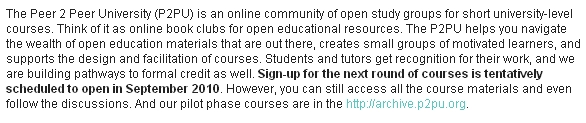
Stian has posted the podcast on his blog, however some of the key points that interested me most have to do with the model of open education and how this concept can (and will) impact learners around the globe.

It will be interesting to see how this P2P U model will evolve beyond their one year of funding from the Hewlett group and Shuttleworth Foundation fellowship. It seems like a great deal of open education faculty/programs (#oer #ocw) like MIT Open Courseware, Open Ed at UBC and others are greatly involved in this project.

P2P U encourages learners and faculty alike to join in these participatory communities to share, connect, and learn. This group is really thinking about the bigger picture, and what learning will look like in the future with the sole purpose to engage others in online learning.  The plan is to continue P2P University course delivery through the support of donations, university partnerships and encouraging higher ed institutions to purchase access to their educational platform/services for instruction. I plan to stay tuned in to see what unfolds with the Peer 2 Peer University, and perhaps I’ll either pick up an online course for my PhD (for independent study or just self-interest) and/or propose a course of my own down the road.


PLE, Professional Development, web 2.0

In My Toolbox

Inspired by @timbuckteeth‘s blog post Tools of my trade, I decided to share my tech tools I can’t seem to live without.  I have to give kudos to these web 2.0 resources which have enhanced my learning networks & contribute to my professional career.

Photo from Flicker donna_makes_cakes

Here is a quick list of online tools that I frequent to inspire, engage & learn with on a regular basis, in no particular order:

  • Google Docs – Calendar, Gmail, G-Talk and MORE! All of these wonderful cloud computing applications from Google have made my life professionally, academically and personally very simple. These apps have helped me stay connected, engage in current communication and allow for an organization on a daily basis.
  • Flickr – By nature, I am a historian and I love documenting life as it happens. Flickr has allowed me to share my experiences with others, and participate in a phenomenal photography community. I have been inspired by my Groups and challenged by new image projects, like the Daily Shoot.
  • Networks that are Social – Facebook & LinkedIn are two of the main social networking sites I connect to my “peeps” with over the course of my travels. For someone who has relocated a few times in the past 10 years, it’s been a great way to connect with friends, family & colleagues old and new. Although I tend to use the cluttered Facebook more than LinkedIn, I have found great purpose in both as it has lead to conference connections, professional development, and career opportunities.
  • Delicious – has been the best way to store & save useful articles, publications, and websites for my research. It’s a helpful way to collect, tag & store my online bookmarks. I love that delicious is very accessible, and the social features make it easy to share resources in my network. I have started to play with Diigo application a bit, but I suppose you always stick with the one you use first.
  • Twitter – After a late introduction to the Twittersphere in Fall 2008, I learned how great Twitter can be for news, information and developing my personal learning network. Twitter has proven to be a helpful resource for conferences or discussion groups by the use of hashtags (e.g. #nacadatech or #sachat), and I have connected to other Ed Tech colleagues to enhance my resources and research.
  • Slideshare has been a fantastic place to archive & share presentations online. There is a unique community of learners and educators who share some phenomenal screencasts & slides from their work.
  • Wikis – Anyone who has been in a research group or worked with me, can attest to my love of the wikis for any group collaboration. Whether it is project management, a communication platform, online classroom, or a forum for research, I have found wikis to be a very useful online workspace. My preferred wiki platform is either PBworks or Wikispaces.
  • Skype – has kept me in touch with loved ones and allowed me to collaborate with colleagues across the nation & globe. Skype is a brilliant tool to connect when you cannot meet in person. Often it is used to instant message a colleague with a quick question, or it has the ability to let me attend a class when I’ve been traveling.  I have virtually presented at conferences with the screen share application (along with Ustream) and I think it is fantastic.
  • Blog(s) – I initially began blogging back in 2006 when I was working in France & the UK. I used Blogger to describe my adventures, post pictures and share experiences with friends and family. When I returned home to Canada, many of my blog readers asked if I would keep it going as they thought it was entertaining & a great way to stay in touch. I found blogging to be very reflective and a great tool to express ideas, share content and document personal experiences. As my professional work and academic learning required more reflection, I initiated TechKNOW Tools [WordPress] as a space to share resources and ideas that impacted my school/work life.
Collaboration, nacada, NACADA Tech, Professional Development, web 2.0

NACADA Region 8 Technology Seminar

Kudos to Eric Stoller for kicking of 2010 with NACADA Region 8 Technology Seminar in Seattle, WA. It’s been a while since the 1st #NACADAtech seminar, and it was good to be part of the technology in advising action.

Eric asked if I would like to contribute, and I gladly wanted to join in the fun. Last Sunday, I presented (virtually) a session for academic advisors interested in  collaborating with wikis. Skype’s screen sharing application made getting involved in this session cost-effective and simple. 🙂

There was a lot of information packed into this day & 1/2 seminar, but I could tell by the Twitter feed & comments in the session that many ideas were sparked & I could tell the wheels were spinning. It’s great to connect with other advisors to get some inspiration and share thoughts about best technological practices for the advising profession.

Conference, Professional Development

Tech Trends from Educause 09

The Chronicle’s Wired Campus released a short video clip about the buzz from the  Educause Conference 09 in Denver, CO. A few attendees were asked about what they thought the top technological trends in higher education & also their concerns at the conference:

4072038913_5f54d15628

Picture c/o educausestaff on Flickr.

Trends:

  • Web 2.0
  • Virtualization
  • Cloud Computing
  • Social Networking
  • Mobile Learning
  • ePortfolios

Concerns:

  • Open Access
  • Transformational Course Management Systems
  • Security Concerns
  • Finances
  • Learners’ Needs
  • Keeping track of connections made at the conference

Whether you’re at the Educause 09 conference or following from afar, you can stay connected to the diolage on Twitter (hashtag #EDUCAUSE09), Flickr, & via the streaming of select conference content online.

Conference, nacada, NACADA Tech Seminar 2009, Professional Development, Social Media

NACADA Conference 09

I’m looking forward to connecting with advisors next week at the NACADA Annual Conference in San Antonio.  I was fortunate get the time off work to travel south, since the conference is being held in my (new) home state of TX. Conferences provide a great opportunity to connect with other  professionals/faculty, share new ideas and learn what is going on in the wonderful world of advising.

Since some of my favourite academic advising friends are not able to make it to the Lone Star state (due to department cut backs and whatnot), my advisor/tech guru friend, Eric Stoller, suggested we continue to use the Twitter hashtag to enable non-attendees the opportunity to virtually follow the conference action. This ideas was quite a success at the NACADA Technology Seminar amongst the seminar attendees. Eric used the hashtag: #nacadatech09 to aggregate all tagged tweets into the NACADA Tech website via a widget from monitter.com. Amazing.

twitter

The hashtag for the NACADA Annual Conference  will be: #nacada09
Now tweet your little hearts out, my friends. [Thanks, EDS. You rock!]

How YOU can participate as either a NACADA Annual Conference Tweeter or as a virtual follower  (c/o @ericstoller):

NACADA Tweeters:

  • Step 1: Sign up for a Twitter account.
  • Step 2: Take your laptop or web-ready cellphone to San Antonio and hope that WiFi is available.
  • Step 3: Post updates on Twitter about the conference: session pointers, take-aways, best practices, key issues, etc.
  • Step 4: In every 140 character post, include “#nacada09″ (without quotes and a space in front of and after the tag)

Virtual followers: