AcAdv, nacada, NACADA Tech, Training

Emerging Digital Resources for Advisors

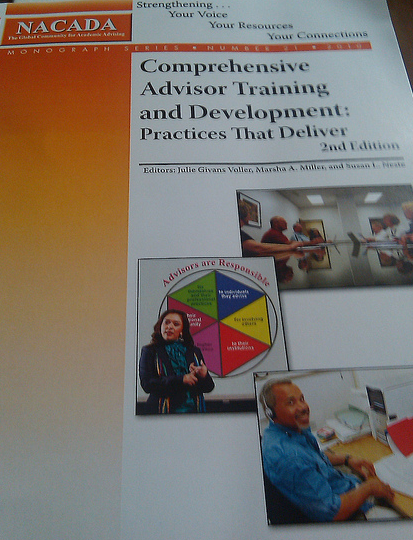
I am pleased to share with my academic advising colleagues and educators a recent publication for the 2nd Edition of the NACADA Training Monograph – Comprehensive Advisor Training and Development: Practices That Deliver.

This chapter introduces engagement in staff development with simple, online resources to enhance any training program.

I was fortunate to share resources and ideas for advisor development and training in Chapter 9 – Emerging Digital Resources: Easy and Accessible Online Tools (final proof):

What are your best practices for digital training? Please share any thoughts or strategies.

AcAdv, NACADA Tech, Social Media, web 2.0

Academic Advising IS Social

Believe it or not, most of what I do as an academic advisor is quite social. Through various daily interactions my objective, as an advisor, is to empower students to gain knowledge, ideas and direction for their academic career. Beyond the advising appointment, I strongly believe that students need to stay connected and collaborate with their networks on campus to become effective learners. This means that social media and Web 2.0 resources definitely need to be introduced into the campus equation.

Many academic and student affairs offices in higher education continue to express skepticism and doubt for practical uses of social media with students. Like other academic advisors, I sometimes feel deflated  by the minimal support and interest to utilize technology resources for advising and student support.  Perhaps it is the lack of knowledge or few experiences that provides our profession with Web 2.0 ignorance? Or maybe a better list of technology competencies for professionals? Or a list of best practice and guidelines that we require to move forward with social media?

In thinking about last week’s webinar with the Higher Education Hero group, I am left pondering a a few ideas that involve social media and emerging technologies for academic advising on my own campus and with my department.

Many initiatives involving technology in academic advising stemmed from the following key factors:

  • supportive administration
  • collaborative efforts from staff, students & faculty
  • interest in connecting students to resources
  • enhancement of current services
  • accessible and available advising content beyond the typical 9-5 office hours
  • assessment of the technology needs
  • an effective project plan & implementation process
  • program evaluation & review
  • on-going support & interest

Here’s to pondering, planning & possibilities ahead!

Collaboration, Higher Education, nacada, NACADA Tech, Social Media

Presentations from #Region3Tech Seminar

Here are a couple of the sessions I presented via Skype during yesterday’s workshops at the NACADA Region 3 Technology seminar:

Tech Readings & Resources

Educause www.educause.edu

Educause Quarterly http://www.educause.edu/eq

Educause Review http://www.educause.edu/er

The Chronicle & Wired Campus

www.chronicle.com

http://chronicle.com/blog/Wired-Campus/5/

Inside Higher Ed http://www.insidehighered.com

Twitter Friends & Lists:

www.twitter.com/NACADA

http://twitter.com/#/list/laurapasquini/nacada

http://twitter.com/#/list/laurapasquini/edtech

http://twitter.com/#/list/laurapasquini/highered

Google FastFlip (News)

http://fastflip.googlelabs.com/

International Society for Technology in Education

http://www.iste.org/

The American Society for Training & Development

http://www.astd.org/

Other Resources:

http://a.nnotate.com/


nacada, NACADA Tech, Social Media

Hello NACADA Region 3 Tech Seminar!

I am looking forward to joining in (virtually) to the NACADA Region 3 Technology Seminar is this weekend at the University of Kentucky campus.

Karen Thurmond will be facilitating this hands on, interactive technology seminar that focuses on introducing web-based technologies to the field of academic advising. Participants will learn how to use these tools and begin brainstorming ideas and how to implement these online resources into academic advising practices. A few advising online tools include:

  • wikis
  • social bookmarking
  • social networking
  • online collaboration tools

Here is the action packed seminar schedule. I look forward to seeing a few of you tomorrow morning. 🙂

Saturday, May 15, 2010 (Eastern Time)

8:30 AM Meet in the hotel lobby if you need a ride to UK.

Hotel address is:  Marriott Griffin Gate, 1800 Newton Park, Lexington, KY

Campus site is: Gatton School of Business & Economics, room B&E 105

If you have a car, please help those who need transportation.

Continental Breakfast at the UK Campus (Coffee, Danish, Water)

9:30 AM. –10:45 AM What is it? Introduction-Karen
10:45 AM –11:00 AM Break
11:00 AM.–12:00 PM Wikis-Laura
12:00 AM –1:00 PM Lunch
1:00 PM.– 2:00 PM Social Bookmarks-Laura
2:00 PM – 2:45 PM Online Advising Videos – YouTube
2:45 PM –3:00 PM Break (Soft Drinks, Cookies, Water)
3:00 PM.–5:00 PM Brainstorming, Practice, and Planning Session:
5:00 PM Return to hotel
6:30 PM Optional Dinner with the group Location TBA

Sunday, May 16

8:30 AM – 9:30 AM Continental Breakfast (Coffee, Danish/Muffin, Juice, and Sliced Fruit)

Networking, Discussion of Action Plans

at the Marriott (location TBA)

9:30 AM Travel to the UK Campus

If you have a car, please help those who need transportation.

10:00 AM – 11:30 AM Communication Plans-Steve
11:30 AM – 12 Noon Final Discussion
12  Noon Seminar concludes; return to the hotel

Hotel address is: Marriott Griffin Gate, 1800 Newton Park, Lexington, KY

Collaboration, nacada, NACADA Tech, Professional Development, web 2.0

NACADA Region 8 Technology Seminar

Kudos to Eric Stoller for kicking of 2010 with NACADA Region 8 Technology Seminar in Seattle, WA. It’s been a while since the 1st #NACADAtech seminar, and it was good to be part of the technology in advising action.

Eric asked if I would like to contribute, and I gladly wanted to join in the fun. Last Sunday, I presented (virtually) a session for academic advisors interested in  collaborating with wikis. Skype’s screen sharing application made getting involved in this session cost-effective and simple. 🙂

There was a lot of information packed into this day & 1/2 seminar, but I could tell by the Twitter feed & comments in the session that many ideas were sparked & I could tell the wheels were spinning. It’s great to connect with other advisors to get some inspiration and share thoughts about best technological practices for the advising profession.