
Higher Education, Virtual Communities

Personalizing Higher Ed with Web Portals?

Most universities and colleges connect with students in web portal environments from recruitment/admission onwards.  Many schools are tapping into the personalization and effective information dissemination of this portal experience.

Web portals allow higher education institutions to connect students, staff and faculty in order to share a variety of information and resources that might not appear on a public website.  Believe it or not, it has replaced most paper and mail communication for courses, publications and beyond.

Educause has an interesting online publication called Web Portals and Higher Education: Technologies to Make IT Personal which details how you can optimize your web portal for communication, learning, marketing and more!
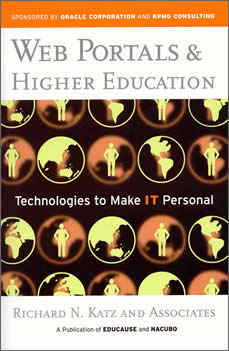
webportal

Recently I was invited to join HigherEdSpace, a “college portal and social networking site for higher education community.” It is designed to network and connect professionals, academics, students and external service providers to the post-secondary forum.  I was wondering how this website differs from LinkedIn, Facebook or other higher professional associations I use online.

Some web portals are more inviting and user friendly than others – depending on the interface and software platform. The HigherEd Space portal reminded of ULife and MyMiami web portals I have in the past.  The bottom line is that all portals attempt to connect users & house information (events, calendar, courses, etc) in a central location for the university population. But overall, I wonder how effectively web portals are utilized?  And are these platforms the best content management systems for communication and learning?

Please share YOUR experience with web portals in higher education – the good, the bad & the ugly are all welcome.

Learning Community, Micro-Blogs

Teaching with Twitter

Some college students may be introduced to instructors & courses that ENCOURAGE micro blogging with Twitter.

Twitter is becoming a fast buzz in both media and celebrity circles, however, I think that more teachers are beginning to realize the power this social media tool for learning.

Here are a few benefits for professors who experiment with Twitter as a teaching tool:

  • source of news
  • opinions of peers
  • gain knowledge from experts
  • live & archived tweeting in class
  • capture lecture content
  • add depth to lecture material
  • build a learning community inside & beyond the classroom

For those faculty/instructors who might consider tweeting in class, I might recommend that you start up your own Twitter account and play with it. Also, be sure to read up about strategies &tools that to optimize learning with Twitter.

I personally like TweetDeck (an Adobe Air-based app) to organize & categorize my tweets. I can clearly see my messages, replies and content areas I am interested in at a quick glance.  Some categories I use for tweets include Higher Ed, Web Tools, Career Research, T.O., Students, etc.

Are YOU tweeting with your students? If so, please share!

K-12, Learning Community, Learning Technologies

Social Networks Are for the Kids.

Silly adults. Social networks are for kids (too)!

Although my interests lie in technology use in higher education, I stumbled upon an interesting article, Child-friendly social networking tools, in the eSchool News.

Many child-friendly applications have been created for students in the K-12 realm, which include various security and privacy features to keep educators at ease.  These arenas allow schools to develop online learning communities within their classroom, schools and/or school districts.

compkid

The article describes more specifics about the following tools:

I think an introduction to these types of technologies in school at an early age is excellent. This provides  a great classroom model and hands-on experience for the instruction with various tools, i.e. wikis, blogs, and more! Students learn to design, create, share and interact with their peers online for learning.

Most students in higher education are VERY aware of social networking tools.  The only issue is that many college students would not think to utilize these online technologies to support learning and academic success (unless their current faculty is ‘hip’ to the technology jive).   To best support academic learning in the later years, instructors need to use these online resources during formative, educational years.

Learning Technologies, Photo Sharing

Easy Online Tools for Visual Teaching

For many educators, the use of multi-media is a regular function in the classroom.

I went to an excellent workshop hosted by Carolyn Guertin from the eCreative Lab @ UTA about Moving Teaching Online: Screencasting.  This is one of many in their digital workshop series they offer.  It was  a great (free) workshop for faculty & staff to gain more knowledge about slide & screen casting to best support educational practices.

screencast

The wealth of media resources available online is overwhelming.  If your objective is to enhance instruction and learning, here are a few tools I use, and a couple new ones I have just begun to play with:

  • Screen Capture tools
    • SnagIt – screen grab tool for Window users; purchase required (test out the 30-day trial version)
    • Grab – a tool included in Mac computers to get screen shots/images
    • Jing – great for screen capture for image or video for any platform, able to do voice-overs & it’s FREE!
  • Slide Casting
    • SlideShare – online community forum to share slides (& audio) with students and others; able to match audio recording with slide content easily [I use this website the most.]
    • MyPlick
    • Sliderocket
  • Slides
  • Audio
    • Audacity – get a solid microphone with headset & start recording and editing tracks for your presentation
    • PodcastPeople – record your audio & get a link to an mp3; downside: there is no post-production editing feature
    • GarageBand – Mac users can get this free application to record & edit audio tracks
  • Screen Casting
    • Camtasia Studio – record, edit & share on screen activity; costs $
    • Camstudio – FREE streaming video software for screen capture
    • Captivate by Adobe – for those who are serious about their online learning and visual screen capture; purchase required (pricey even with education discounts, but worth it if used often)
    • Windows Media Maker – able to create videos for the screen cast; not part of the new Vista package (down grade OS)
    • Snapz Pro X – high quality imaging; able to use video, images and save the in a smaller format; time lapse editing,  audio voice-over and great editing options
    • iShowU – records audio & video; tagline = “when words aren’t enough”
  • Video Content Storage Online
    • YouTube EDU – YouTube videos posted for learning; great for archiving teaching material for your students
    • CaptionTube – new feature from YouTube that allows for adding captions via a sophisticated video caption editor – this means that the  text transcription sits beside the video
    • Recommendation:  use institutional web portal or closed site if you are using any copyrighted material or content

Have fun!

Higher Education, web 2.0

Higher Education 2.0

worldonshoulderswos

Technology has become quite accessible, especially in higher education. Whether you like the term web 2.0 or have caught the social media bug, the fact is, technology is present in many learning environments. The “alternate” forms of education are no more – it’s now just learning.

“Web 2.0 technologies and open education learning design, employed by imaginative teachers, create a landscape of learning–collaborative, problem-based, experiential–that is closer to our nature than the ranked, single voice classrooms so abundant in recent times. The single voice classroom developed because of the lack of other ways to help students learn. We no longer lack the resources and tools to develop learning designs that fit how people learn.”c/o Why Web 2.0 is Important in Higher Education, T. Baston, Campus Technology

Although this though is not widely embraced by faculty and administrators alike, it will be the challenge for the new generations of students entering into our colleges and universities.

Here are some interesting comments about this Campus Technology article’s message about web 2.0 in higher education:

Wed, Apr 15, 2009

I want someone, an actual human to talk to. Interaction with other humans. and the Web is not personal. I enjoy learning on line but getting the information and hearing the emotional delivery of a lecture is critical.

[Who is talking about online lectures? We are talking about engaging students in 2-way conversations online. Dialoging about relevant course material. Sharing ideas, thoughts, facts and opinions.]

Wed, Apr 15, 2009 

I still don’t see this. With the busy lives most of our students (mine are older) live, they need a lot of direction to get things done. My job as an instructor (I hate the instructor/professor paradigm) is to provide them with the initial stimulation to show them what they need to know and to make it interesting enough for them to pursue later (Web?). My students actually WANT me to talk to them, to help them see the framework things can be seen in, and to set the challenges for them. I wouldn’t dare say this always happens, but I try. And it is congruent with my own experience. I always loved great lectures from people who thoroughly understood and integrated knowledge (perhaps that’s why I still spend so much money on Teach12.com). I don’t say this as a Luddite. I’ve been involved in technology education for 25 years, and I am still uncertain where it can help ….

[GREAT! Keep talking to your students in-person… then engage & challenge them online and beyond the classroom/office hours environment – to share research, ask questions, and grow your learning community.]

Perhaps the misconception for technology in higher education is the thought it has to be ALL or NOTHING. I would encourage educators to think more broadly on how to support those adult learners, and seek out online mediums to to compliment and make your teaching practice more effective to cultivate learning communities at your institutions. It is never about the technology, it’s really the reason and purpose it plays in education.