CTCX, Social Media

F8: Reviewing the Facebook Changes with #CTCX

Based on the status updates on Facebook, the Campus Tech Connection (#CTCX) podcasting crew thought that it would be real & relevant time to discuss the changes to Facebook.  How will one of the biggest social networks impact our learners? Or will it?

Last week’s F8 shared changes ahead to one of the biggest social networks: https://f8.facebook.com/ 

Mashable did a great job to highlight some of these new features on Facebook’s Latest Changes: A Hands-On Look [PICS]. Some of these updates will really impact how Student Affairs and Higher Ed professionals use this social network for program development, communication plans,  and campus social media strategy. Was the best part of the F8 when Andy Samberg impersonates of Mark Zuckerberg? You decide:

Join us TONIGHT (9/26) as #CTCX & @julieclarsen gives the F8 & New Facebook upgrades a review. We would LOVE to hear your opinion and thoughts – joins us LIVE at 7 pm CST:

  • Streaming LIVE from Blog Talk Radio-BreakDrink 
  • Listen to the show LIVE & join the conversation in the chat room.
  • Tweet your thoughts using the hashtag #CTCX 
  • Call or Skype during the show:  (646) 652-2342  or breakdrink
This is cross-posted at BreakDrink.com here http://breakdrink.com/2011/09/26/ctcx-and-the-f8-facebook-review/ 
BreakDrink, CTCX, Higher Education, Learning Technologies, Social Media

Will Google+ Be a Plus for Our Learners?

At the end of June, the @BreakDrink Campus Tech Connection (#CTCX) discussed Google’s new Chromebook hardware and some of it’s applications on our show. Here is a great as walk-through of the Samsung 5 Chromebook c/o our listener @brifanning and his co-worker Vlad.

As a student who primarily reads, researches, writes and works online for both classes and in Google applications – the Samsung 5 Chromebook is a good fit for my needs. I like the portability, access to both 3G/Wifi and most of my content is stored online which requires me to have little to no memory space. I still have a my MacBook Pro to support final manuscript edits, listen to my iTunes library, Skype with far away family/friends and so on. This means that my Chromebook is NOT replacing my current computing needs entirely; however it does help me as a full time professional and student as I work on a Mac at home, PC at my office and fulfill my lightweight need for classes/research on campus. A ReadWriteWeb article said it best: It’s not the device itself that matters, it’s how you use it. 

In considering the value of either a Chromebook or netbook for higher education, I can see why some institutions might head for the clouds. Many organizations are finding it far easier, less expensive and more efficient to access resources in the cloud. As budgets are cut and resources shrink, many institutions will consider integrated systems that support the changing IT needs for education.

Here are a few ways higher education professionals could put a Google Chromebook to work on campus:

All things Google (Chromebook, OS, Apps & Plus) is becoming more appealing to educators. Although many features are still in beta mode and integration has been limited between Google products and now Google+ – there is potential to connect and share with learners in this new social space. 
What impact will Google+ have on education and learning? I doubt that Google Plus will replace the enterprise or LMS systems supported by your higher ed institutions just yet; however it could be a great solution for instructors who are searching for alternative learning environments/platforms. Although it is fun to speculate the learning possibilities of Google+, I would be more interested in piloting a course or training program using this social web first. I plan to explore the features it has to offer & find out what new additions are ahead before identifying Google+ as a learning and training tool. Google+ has the potential to support groups for training, development and on-going learning initiatives. There is much to be said about a connected community of online learners who are interested in sharing and engaging. It will be interesting to see what updates Google+ is working on and what happens as otheres flock to the social network to explore.
In the meantime, here are some preliminary thoughts we recently shared on the #CTCX Google+ Preview Show from last week, and the BreakDrink Google+ Overview & Resources Guide for those of you just exploring the Google+ realm.  Please share any resources & links you find about Google+ In the LIVE Google Doc. Thanks!

What do YOU think about Google+so far? Is is a plus for you or for learners?

astd, Learning Technologies, PLN, Professional Development, Social Media, Training

How Does Your Social Learning Garden Grow?

It is important to consider how your organization uses the social web for learning professionals. The American Society for Training & Development (ASTD) recently published INFOLINE: Social Learning for Learning Professionals initiated a review of social media engagement beyond knowledge workers (educators). Social learning is not competing with formal education, training, or employee development; instead it is a space to connect professionals and share ideas. Although social media learning is often compared to informal or e-learning, it distinguishes itself as learners search content, develop interpersonal engagements, and form shared communities of practice. 

The key Social Learning Technologies include:

  • Online Communities – personal learning networks & virtual learning environments
  • Media Sharing – sharing & tagging videos, images, photos and more!
  • Microsharing – 140 characters to highlight news, share trends, ask questions & link URLs
  • Collaboration Tools – wikis, shared documents & cloud computing platforms
  • Immersive Environments – virtual worlds, gaming, augmented reality & simulations
  • Social Learning at Events – IRL meetings to connect offline for shared interests & goals

More professionals value social media tools to enhance communication, improve knowledge sharing, find resources and connect to a broader learning network. Many social resources create a space to solve problems, mentor employees, scaffold training initiatives and support effective decision-making. Organizations that support social learning may not see traditional return-on-investment (ROI); however they do have the potential to enhance the following items in its organizational culture:

  • retaining institutional knowledge
  • attracting and retaining professionals
  • succession planning
  • connecting dispersed employees
  • collaboration to solve problems
  • integrated & holistic approach for staff development
Social learning groups are sometimes organic, and others are intentionally created with specific learning goals. Any organization interested utilizing social media in a training and development program might want to consider a few guidelines before proposing to the idea the senior leaders:
  1. Establish a purpose.
  2. Encourage participation.
  3. Encourage respectful communication.
  4. Identify a gardener.
  5. Outline limitations.
  6. Include troubleshooting information.
Reference:
Bingham, T. (2011, January). INFOLINE: Social Learning for Learning Professionals. ASTD Press, 1101, 1-16.
Learning Technologies, Needs Assessment, PLE, Social Media

The Measure of Social (Media) Learning

Online impact is more relevant as social web enters into digital learning environments. Both assessment and evaluation of digital resources is critical for supporting learning outcomes and instructional design. Before diving into any sort of online addition to your curriculum, be sure to review both your online content and learning goals.

Flickr photo c/o suavehouse113

It is okay to experiment and get acquainted with a few social media resources; however it is important to start with a needs assessment before implementing new technologies into a learning curriculum or program plan. Here are a few things to consider before as you begin the evaluation of social media tools for learning:

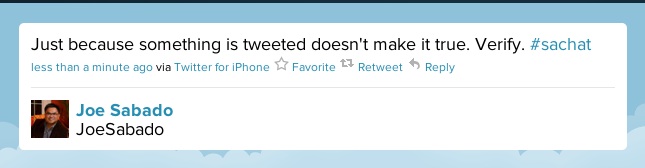
  • Credibility Check your online sources. Are you a critical learner with your social media tools? There is a great deal of sharing in the social web; however not all online content is reliable. Consider what mediums would be most appropriate for the subject, topic and learners. Encourage your learners to develop critical thinking skills on the web for effective methods of search, inquiry and information analysis.
  • Expertise – How many “social media experts” and #fauxperts have you seen online? It is the learning material, not the online tools that will best support your curriculum. The best expertise can be found with an instructional needs assessment and program implementation plan. Consider your learning objectives and planning your best expertise. I recommend the following educational technology associations and networks to support your instructional design and implementation needs: ISTE, AACE, AECT, The eLearning Guild,  and EDUCAUSE.
  • Trust – How do you build trust among learners in your online curriculum? What will help foster a sense of community? The social web creates spaces for online communities to grow and thrive. When building an online learning community it is important to consider communication channels, active participation opportunities, and collaborative networks for learners to find meaning.  
Flickr photo c/o Ev@ 😉
Professional Development, Reflections, Social Media

Taking a Tech-cation

As a student, educator and professional in higher education I am usually “always on” and connected. This serves my research and practice well, however I often find I need to preserve space to unplug. 

An NPR  Fresh Air episode “Digital Overload: Your Brain On Gadgets” describes how the psychological rational, intermittent reinforcement, is the reason why we check our e-mail constantly, rely on applications and glance at our mobile devices at inappropriate times. Information Overload is Not Unique to the Digital Age, however society has consumed more information than ever since it is easy and accessible online. It is now easier than ever to fall victim to what Matt Ritchel identifies as the “screen invasion.” The NYT’s spent some time examining the impact on how individuals juggle information through their series known as, Your Brain on Computers. Much of what is talked about in both journalism pieces includes the following concerns: stress, impatience, limited memory, mediocre performance, and developmental issues/concerns.

In order to prevent burn out from life and professional work, I often take what I call self-imposed “tech-cations.” It’s true:

Here are a few suggestions on how to break from the constant information flow. Be sure to shut down all screens and then go forth (which includes all forms of computers, TV,  & mobile devices). Here are a few suggestions of activities for a screen-free holiday:
  • Take a break for self-care – eat well, exercise and just BE
  • Read  – there has to be at least 1 book at your house/local library you have wanted to read
  • Listen to a podcast and/or radio show
  • Play a game – cards, Scrabble, Chess, Apples to Apples, etc
  • Go for a run, walk, hike or sit in the park – get some fresh air!
  • Pen to paper – when’s the last time you have reflected in a journal?
  • Clean your space & de-clutter – house, office, car, closet… you decide.
  • Try a new recipe (and taste it).
  • Go exploring – Visit a local museum, art gallery or tourist attraction.
  • Hang out with friends … sans your mobile. Yes you CAN do it!
These are just a few suggestions to help you re-charge and re-fuel yourself from the connected world we live in. Being connected is great. I am huge proponent of connection and connected activity, however digital consumption is good in moderate doses. To be effective and purposeful in education, it is necessary to step away from the screen and just be.