eduMOOC, Learning Community, Open Education, PLN, Virtual Communities

Online Learning Today with #eduMOOC

Last week, the #eduMOOC course with over 2, 500 participants located in over 60 countries participated in the first session topic Online Learning Today for the Online Learning Today… and Tomorrow course.
I will be honest – the massive, open and online courses format will not be taking first year undergraduate courses by storm. Many of my incoming students are concerned with transition from high school to higher education, and often stay clear of online courses in their first semester. In contrast, as a graduate student and self-proclaimed life-long learner, I like the autonomy and independence a MOOC has to offer. I like to connect, share and learn informally with others, so this is probably why I signed up for the course.  The first week’s session (Thursday 1-2 pm CT) was recorded and the PDF slides were archived for those who could not attend the live session. Here are a few key questions and ideas discussed from the panel:

Who do we serve in online learning today?

Online learning has typically met the needs of our non-traditional learners; however with the impacts and growth in emerging technology for education online learning is becoming a staple at most higher education institutions. As we are encouraged to “do more with less,” online learning is now required to meet the continuum of learners and learning pedagogues are not quite developed for many campus learning environments. Although online learning is just another dimension of learning, more higher education technology leaders need to identify methods for effective design and high-quality curriculum delivery.

Is the nature of how we learn changing? How? Why?

Both the learners and learner environments have evolved over the past 30 years. The delivery, medium, and evaluation of learning has impacted today’s higher education classroom. Emerging methods of curriculum execution and faculty instruction are beginning to increase learner engagement beyond our campuses. Online learning allows for fluid participation and continuous experiences. Learning has always been social; however new mediums now increase our learning networks across the globe and enhanced how learning objectives are reached.  

In order to meet the needs of global learners in higher education, more institutions will have to move forward with technology or be left behind. Other questions that were discussed by the panel include: 

  • How do for-profit vs. not for profit higher education institutions impact online learning? 
  • We may have one the access war, but have we won the accessibility war with online learning?
  • Are we considering universal design for learning
  • Is there still cannibalization of online learning? Disrupting College http://t.co/Jg8egj0 via @amprog
  • How are faculty, instruction & evaluations designed to review impacts for online learning?
  • What are the challenges for online learning today in 2011?
Captain Obvious point: Online learning is growing and many institutions are behind in their development and support for this type of learning. This fact is apparent. Take a look at most higher education course offerings online and how these courses are designed. Online learning IS growing, in terms of, demand, quality, global reach, resources, and access. What I am more interested is HOW higher education institutions will meet the demand of online learning? Institutions are currently struggling with decreased budgets, low enrollment numbers and maintaining staffing needs to support our student populations – just to name a few challenges.
 
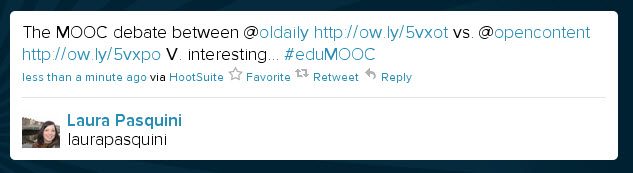
In reflecting about the session, I can not say that I came away from it learning a whole lot of new ideas – more these questions will shape what lies ahead in this course for the weeks to come. I was sort of disappointed that the panel did not represent any global educational leaders in the #edtech field as planned – but hopefully this will change in future sessions. And I did take note of the debates around the actual value of this #eduMOOC and other MOOCs for education and learning in a few blogs, Twitter and other online entities of the social web – which also has contributed to my learning. 

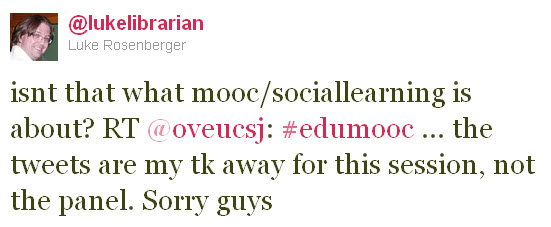
It’s this sort of discourse that most challenges me to think and really, a MOOC is similar to a personal learning network and what you decide to make of it. As a seasoned-learner, I find great value in on-going discourse that occurs on the #eduMOOC backchannel on Twitter, on the eduMOOC Fb group or just reading blog posts that share ideas and resources about the course topics. I encourage others to engage by following a few key hashtags [#onlinelearning #eduMOOC #elearning] and start a dialogue with your classmates. I still think the best types of learning from MOOCs comes from the community of learners and those participating in the learning network. As it was said best:
astd, Learning Technologies, PLN, Professional Development, Social Media, Training

How Does Your Social Learning Garden Grow?

It is important to consider how your organization uses the social web for learning professionals. The American Society for Training & Development (ASTD) recently published INFOLINE: Social Learning for Learning Professionals initiated a review of social media engagement beyond knowledge workers (educators). Social learning is not competing with formal education, training, or employee development; instead it is a space to connect professionals and share ideas. Although social media learning is often compared to informal or e-learning, it distinguishes itself as learners search content, develop interpersonal engagements, and form shared communities of practice. 

The key Social Learning Technologies include:

  • Online Communities – personal learning networks & virtual learning environments
  • Media Sharing – sharing & tagging videos, images, photos and more!
  • Microsharing – 140 characters to highlight news, share trends, ask questions & link URLs
  • Collaboration Tools – wikis, shared documents & cloud computing platforms
  • Immersive Environments – virtual worlds, gaming, augmented reality & simulations
  • Social Learning at Events – IRL meetings to connect offline for shared interests & goals

More professionals value social media tools to enhance communication, improve knowledge sharing, find resources and connect to a broader learning network. Many social resources create a space to solve problems, mentor employees, scaffold training initiatives and support effective decision-making. Organizations that support social learning may not see traditional return-on-investment (ROI); however they do have the potential to enhance the following items in its organizational culture:

  • retaining institutional knowledge
  • attracting and retaining professionals
  • succession planning
  • connecting dispersed employees
  • collaboration to solve problems
  • integrated & holistic approach for staff development
Social learning groups are sometimes organic, and others are intentionally created with specific learning goals. Any organization interested utilizing social media in a training and development program might want to consider a few guidelines before proposing to the idea the senior leaders:
  1. Establish a purpose.
  2. Encourage participation.
  3. Encourage respectful communication.
  4. Identify a gardener.
  5. Outline limitations.
  6. Include troubleshooting information.
Reference:
Bingham, T. (2011, January). INFOLINE: Social Learning for Learning Professionals. ASTD Press, 1101, 1-16.
Open Education, PhD, PLE, PLN

This Research is Brought To You By The Letters K, P, H & D

Some of the basics we learned in kindergarten can also be applied to how you learn as an adult. I have been thinking a great deal about how to organize my information and research as a graduate student. I strive to be both an open learner and transparent educator, so let’s see if I can use a few principles from my kindergarten years to explain how.

Share everything

With the ease and cost of the social web it is easy to share with others. Social media applications and resources provide a great community for others to read, publish, and write content online.  In a previous post, I shared how I engage with social media both personally and professionally. The value I get from sharing is that if I pay it forward it often comes back in return. I value ideas, articles, opportunities and challenges that are posted in my PLN. Learning is a continuous cycle.

Don’t take things that aren’t yours.

As a researcher and writer, I am often scanning and reading for a literature review or an article. To quote a common phrase by my faculty advisor – “Publish or perish!” One lesson I learned early in my academic career came from a History faculty who told our class, “You have no original thought. Be sure to frequently cite your sources.” This statement is somewhat true. You might have a great idea; however it has most likely originated from someone or somewhere else.  Using online bibliographic resources like Zotero and Mendeley  are key for my APA-induced world. When I am blogging, creating presentations or sharing in my networks – I often refer to where I get these great resources too. It’s important to give credit, where credit is due.

Live a balanced life.

Remember to nurture yourself. Take the time to attend to your basic “F” needs: family, friends, food, fitness and fun. Although you may be consumed by your academic interests, it’s important to find harmony in your life. As my Niagara University Crew coach said, “If you want to row strong and win the race, you need to be able to balance your boat.”  Balance is critical to sustain yourself and your priorities – do not forget to find time to laugh.

Take a nap every afternoon.

Naps are great. Maybe an afternoon nap is not realistic in your office, however effective sleep-care maintenance can be. Consider taking breaks throughout your day: stand up, leave distraction, and get un-connected for a while. Find a way to hit your refresh button – take a walk, sit in the sunshine, meditate or daydream. These breaks create a space for your mental reserve.

Hold hands and stick together.

Many find the process of the PhD daunting, but just remember: YOU ARE NOT ALONE. I have found a few different groups and spaces to connect to on locally and far away.  to support my learning and research. On campus, I am part of a collaborative doctoral student research group for my program ATPI where we connect weekly IRL and on a wiki/google docs for projects, presentations and publication work. The #phdchat community has been a group I have found helpful to chat with on Twitter and ponder my own process – plus they have some great resources to share on their wiki. Beyond that, I have a connected to the PhD Journey group on Flickr, tagged my bookmarks in a Delicious way, and stay on top of my news and trending information via RSS in a Google Reader. 

Be aware of wonder.

There is always room to learn. Believe it or not, it is not possible to know everything there is to know. That’s what keeps life interesting. I try to open my learning options by staying tuned in to new literature, scanning a myriad of  blogs, listening to a variety of podcast, or connecting to a researcher in a different field then my own.  Don’t let your academic work get dusty. 

Learning Technologies, PLN, Social Media, web 2.0

Being Purposeful with Social Media

Earlier this week, Jeff Lail posted How I Use Social Media and Leslie Dare followed up with a blog post of her own on the same topic. This got me thinking about how I engage and interact with the social web. Last year I talked about what’s In My Toolbox as an educator, however I think I should share how I use these tools as an educator, professional, student… and then some.  

Flickr photo c/o Luke Mahan

I try to be Mindful with Social Media and how I use it. I strive to be intentional and purposeful when I engage with social media. I am the musician, these resources are my instruments – so here’s how I make my music on the social web:

  • To Blog, Or Not to Blog?: WordPress, specifically TechKNOWToolswas designed to be a reflective space of what I learn, research, read and more throughout my studies. I’m a transparent and open learner/educator. I hope that these posts help support my writing and nurture my research goals. TKT serves as a journal of my PhD & academia journey. Blogger was my first introduction to the blogging realm back in 2006 as I started my travel/work adventures in France & the UK on the Souvenirs of Canada blog. Many of my friends & family follow this to keep track of my happenings – and some asked that I keep sharing what is going on to stay in touch. I have two blogs because I have these different sets of readers. Most of my personal contacts prefer not the get all my research and geek info from TKT blog, and it helps to share more “off off the blog” info when we chat on the phone, Skype or IRL.
  • The NEW & Improved Home Phone: Skype – This VoIP service has not only allow me to maintain relationships far, far away – it has also allowed me advise students at a distance, present training sessions with the screenshare option and conference with colleagues new & old for a variety of projects.
  • Saying Cheese:  Photography has been a part of my life since I was little. Photos were always snapped during special occasions, on road trips, spending time outdoors and more with my family. For me photography captures memories, shares a narrative, and provides a perspective by someone or into the life of others. As a visual learner Flickr helps me to archive and catalog my experiences. I have used Flickr for a few professional conferences, however I first started using it to scrapbook my life and give both my Mom (and other friends/family) the latest and greatest “Laura happenings.”a I like photos in my blogs and I like snapping neat finds. I am pretty sure I was a curator in a previous life.
  • Customized Subscriptions: RSS and Google Reader is my friend. This is a key tool I use to follow news, blogs, podcasts and people, and trends. The convenience of accessing this information in one location and being able to read them on my computer or phone helps me stay engaged. I’m only as smart as the information I am connected to.
  • Micro-conversations & Micro-sharing: Twitter – I have to be honest – when I was first introduced to Twitter in Summer ’08 and I was somewhat skeptical. Why would I be interested in a personal update? What value would this bring to me personally/professionally? Over the last few years this #SM tool has grown on me both a professional in higher ed and doctoral student. With my experiences in open learning courses, conference backchannels, Twitter lists, hashtag communities, and a few of the many Twitter Chats I have participated in – I can now attest to its professional development and educational potential. To help me organize my Twitter streams and followers I want to give a shout out to Hootsuite & Seesmic, two third-party clients I use most on my computer and phone. 
  • I heart The Google: Beyond search, Google is a great productivity and learning tool for me to collaborate and connect to others. My favorite Google applications include: Gmail, Docs, Forms, Chat, Voice, Scholar, Calendar, Maps, Translate, Realtime… need I go on? This is a must have tool for any graduate student or professional. Are you still using Hotmail? That’s so 1990s. I recommend you switch to Gmail to kick-start your productivity resolutions and then other Google applications will follow. [Note: I may have a bias to Google as my phone is smart with the Android platform.]
  • Saving It for Later: Delicious, specifically My delicious, allows me to archive resources, articles and interesting finds online. When I share a URL on Twitter it automatically archives to my delicious via packrati.us  I later go into my account to add any notes or highlights that might be relevant – especially if there are articles I might use for a literature review or paper. I also value my Delicious Network contributors who save and share interesting links.
  • My Networks Have Always Been Social: For those of you who know me, I have always been a social person. The creation of online social networks just allows me to continue to be social when I live far away from friends, family and colleagues. I use Facebook primarily for my personal friends and family, however as of late more professionals from Student Affairs, NACADA and other networks have been connecting to me on here. I have created a few different lists to organize my friends on here. More of my sharing is personal & some professional/student information. I have begun to use this #SM tool a lot less as of late professionally – it’s more to stay in touch with far away friends & family. Other networks I use for more professional and academic networks include Twitter, LinkedIn and Mendeley. Depending on my social network, I choose to share different information. I tend to use LinkedIn for professional interactions, and Mendeley for research/publishing contributions, whereas Facebook would primarily be for personal updates, photo sharing and individual conversations. Twitter seems to be my “go to” for information sharing, knowledge consumption and trend watch for #highered, #edtech, #acadv, #phdchat, #sachat, and other lists I follow-with a few personal updates or location-based check-ins scattered in from time to time.
  • Establishing A Brand: To aggregate my many online spaces I have started using About.Me as my virtual card and personal website. I’ve opted to let my personal website URL go and use this and other FREE options to house all things social web and online for me. My digital identity exists already. I have developed my own Google Profile as well. Have you Googled yourself lately?
  • All Things Wiki: I am partial to PbWorks (since I first used it when it was PbWiki), however I have also accessed Wikispaces and Wetpaint for a group collaborations at the office, assessing vendor options with a group, training/learning seminars, professional association planning, pre-conference presentations, online community space, and doctoral research group meetings and publishing. The current wikis I’m clicked into are for my scholastic endeavours: ATPI Research Group and the #phdchat wiki. Future wiki plans: develop my dissertation proposal on a wiki to share with my faculty advisor/committee and design a wiki for an online course I’m instructing at the University of Manitoba this Fall.
  • Now Presenting: I stop by YouTube to watch an effective TED talk, Khan lesson or In Plain English video and more – then I “favorite” the good ones for presentations and/or course resources. As an instructor/trainer/speaker my key tools would be SlideShare and Prezi. I use my personal SlideShare account to share previous presentations, and also encouraged our UNT advising group, UCAN, to initiate their own account to store monthly meeting resources.
  • Checking In: I started playing around with Foursquare and Gowalla over the last year to find out what this location-based mobile application was all about. Some use it for education programs or marketing communication, I primarily use it to archive where I’ve been – restaurants, travel locations, historic locations and such with my personal network. I have also appreciated the location “tips” and discounts when I arrive at each spot. Yelp & TripAdvisor are a few other travel/location referral websites I frequent to read a restaurant review or plan a vacation. 
Phew! It seems like a lot – I know. But I use the above tools for different purposes AND at different times. Keep in mind that THESE ARE JUST TOOLS. During social media training workshops, I often recommend that participants new to the social web “try one or two on for size” to find out what works for them. The bottom line is – it has to serve a purpose, be used intentionally, and help you be a better you. If you don’t use, then you should probably loose it.
There have been a other social media tools I have tried out, but as you can see they haven’t made my frequent flier list. I suggest figuring out what is right for YOU and decide what YOU want to make time for. If you understand the what/purpose (content) and the where (social media application), you will be able to find your social web zen. Social web participation and engagement has to make sense. Be sure to ask yourself:

Are your social web interactions meeting your personal, professional and/or  learning needs? 

Collaboration, PLE, PLN

Talking About PLNs on #SALive

My good friend/colleague Eric Stoller invited me to join his latest adventure with Student Affairs Live (#SALive) last week to further share my thoughts on PLNs and how to breakdown the silo mentality in higher education. #SALive is an extention the awesome weekly Higher Ed Live (#HElive) video podcasts/shows offered weekly by Seth Odell. Both of these weekly shows provide interesting and engaging topics for students, professionals and faculty members working in higher education.

I thought I’d share a few of the show highlights & discussion points below…

What is a Personal Learning Network (PLN) for Student Affairs Professionals or others in Higher Education?

  • Professional development – learn from content-area specialists
  • Locate resources for your Student Affairs (SA) content  area – such as free websites, software, etc
  • Get ideas from experienced SA Pros & Grad Students – initiatives, programs, suggested practices in the field
  • Learn about new technology & how to integrate it into professional field and/or content area
  • Find collaborative solutions – crowd-source it!
  • Getting connected – to people, knowledge, information, best practices, opportunities
  • Staying current with the trends & literature in Higher Ed & SA: – interesting links, news, articles, journals, event
  • RSS feed of reading fun – blogs, news, people, podcasts & then some!
  • Having a bit of a chat – dialoguing & sharing
  • Support – motivation from peers in your professional network

General PLN resources shared during the video podcast:

This is just one of many Student Affairs Live episodes for @EricStoller – so if you liked the first few be sure to check it on Wednesday at 3 pm CST. The next #SAlive show on April 6th will be about the #NASPACPA Association Consolidation vote. Tune in live here: http://bit.ly/StudentAffairsLive