blogs, Learning Technologies, Reflections

I Tumblr For You… To Reflect.

The Fall semester has been kicked into full swing. I like the smell of a fresh class schedule, used textbooks and new beginnings in the air. This semester I am making a transition to a new job with the Office of Exploring Majors in the Undergraduate Studies department at UNT. This is a new(ish) office on campus that was formed to help support undecided and undeclared majors at the University of North Texas. My new gig (that officially starts tomorrow) is working with these “undecided” students to help support effective academic/life transition into university and explore major/career options.

With this new role, I am instructing a section of the UCRS 1000 – First Year Seminar for Major/Career Exploration. I have been fortunate to teach similar course curriculum at Niagara University and Miami University, so I thought I would take a different spin on student reflections and processing of the various course themes.

I am a fan of blogging as a form of reflection, ideas sharing and document of experiences. I have been blogging with WordPress and Blogger for quite some time. I think that blogs are great spaces for learners to share and archive their transition and exploration in the first semester. For this course, I have decided to explore Tumblr as a blogging platform.

Since Tumblr has been ranked higher than my fav WP blogging engine, I thought it would be best for me to test out this favored space for blogging. I thought the UCRS 1000 course would be a great opportunity to learn (for myself and many of my students) how to use Tumblr and share reflections. In previous posts, I have shared with my thoughts on how digital literacy is lacking among our undergraduate students — so why not model & use an online tool with purpose to learn?

Start Tumblin’

Here are a few resources I have used to set the students and instructors up for success when implementing Tumblr into an learning curriculum: 

1. Create your OWN Tumblr account. Play and explore with the blogging platform FIRST. Make it your own. Learn how to use it before you decide you want to use it for a class. Post videos, images, texts, and follow others online.

2. Set up a “go to” class Tumblr Blog. This will be a space for general class announcements, information, resources and model your blogging expectation for your learners. Here is the blog I created for my class this Fall semester: http://ucrs1000atunt.tumblr.com/ 

3. Outline and post a step-by-step approach that is simple & easy to follow both online on the class  Tumblr blog AND in your course syllabus, for example: HOW TO: Create A Tumblr Blog for UCRS 1000 (Thanks to the folks at MakeUseOf for their “how to” ideas for Tumblr http://bit.ly/oy8Ts9)

4. Provide students with insider tips for Tumblr that will be RELEVANT for the class objectives:

  • Follow a blog or two: Encourage the class to “follow” the primary class blog; ask students their preference for sharing and following other Tumblr blogs with their peers
  • Uploading a photo: need to find an online JPG or other photos form website sources
  • Privacy: create a primary Tumblr and then a 2nd Tumblr blog for the class if they want to keep it private (but give the instructor a password so they can read posts)
  • Tumblr suggestions:  there are many that are suggested, but let learners know they are NOT required to do this
  • Dashboard: When logged into Tumblr you will always return you to the Dashboard view; which is good since this is where text, photos, videos, quotes, etc will be posted and where you can read other blogs that are being followed

5. Academic Expectations: Detail your expectations and purpose for the Tumblr blog posts. Learners need to understand the WHY they are blogging and what you hope they will get out of it for the class. Also detail the specifics of what you require for your each blog post. For example, I told students that images, videos or quotes are welcome since it is a blog; however they are required to include a minimum of 600 words that address each assigned  blog topic. Suggest that students draft blog posts in Word document or a text editor before posting online to check for spelling, grammar & proper sentence structure. 

6. Follow and/or Bundle: It is easy to “follow” your student back on Tumblr in order to read and learn what they are reflecting about over the semester; however I have found it easier to group the Tumblr blog URLs into a single Google Bundle on my Google Reader (since that’s where I read blogs, news and other updates on a regular basis). These bundles are easy to share with other instructors, TA’s or students in the class as well. 


I will keep Tumblin’ along this semester, and keep you posted on how this learning experience goes. Do you use Tumblr for learning or teaching? If so, please share your tips, thoughts & experiences.
BreakDrink, CTCX, Open Education, Reflections

Is The Internet YOUR Playground?

This past week on @BreakDrink the Campus Tech Connection (#CTCX) podcast we discussed online filters and search, and how this impacts our knowledge, perception and view. The initial discussion was sparked by the Eli Pariser’s TED Talk about online “filter bubbles” but our conversation cycled into the retrieval and sharing of information within our personal and professional worlds. [Sorry @jefflail – I know you are not a fan of TED, but it was an “idea worth spreading” for the #CTCX show on Monday.]

On the show, we discussed if it was possible to seek unbiased information through our search results, consumption of media and varied perspectives on a topic.  As a History major, I was encouraged to review and assess my sources and citations. It was important to ensure there was an unbiased perspective and account of the information shared. Now that we have the ease of Google, Yahoo, Bing and other online search engines, few people take into account how or where this information is aggregated during search. To test the limitations to online filters, @jeffjackson, @jefflail & I spent some time Googling and contemplating if the internet was actually our playground. Ideas around search engine optimization, online experience, controlled sharing and the openness of our internet were key concepts discussed. It was a pretty good conversation about information collection and filtering – which shall continue throughout my research and professional work. 

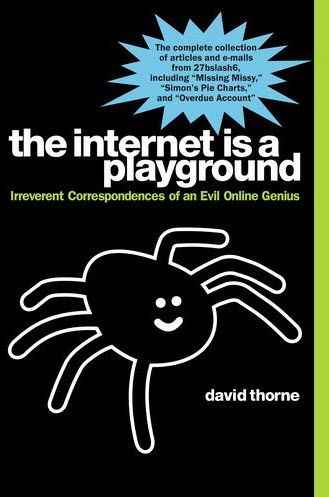
For now, I will divert to someone who decided to take back the internet playground. David Thorne is a writer who decided to push the envelop one day through funny personal email exchanges (that not everyone might find funny, but he sure did). Thorne’s most famous exchange with a spider drawing went viral in 2008 which increased traffic to his personal website. To fund the server for this website David decided to create a book calledThe Internet Is My Playground, to share more online interactions. 

Thanks to NPR All Tech Considered for the great piece on David Thorne.

This blog post is also cross-posted on BreakDrink.com => Campus Tech Connection | Live Googling & Filter Bubbles

Professional Development, Reflections, Social Media

Taking a Tech-cation

As a student, educator and professional in higher education I am usually “always on” and connected. This serves my research and practice well, however I often find I need to preserve space to unplug. 

An NPR  Fresh Air episode “Digital Overload: Your Brain On Gadgets” describes how the psychological rational, intermittent reinforcement, is the reason why we check our e-mail constantly, rely on applications and glance at our mobile devices at inappropriate times. Information Overload is Not Unique to the Digital Age, however society has consumed more information than ever since it is easy and accessible online. It is now easier than ever to fall victim to what Matt Ritchel identifies as the “screen invasion.” The NYT’s spent some time examining the impact on how individuals juggle information through their series known as, Your Brain on Computers. Much of what is talked about in both journalism pieces includes the following concerns: stress, impatience, limited memory, mediocre performance, and developmental issues/concerns.

In order to prevent burn out from life and professional work, I often take what I call self-imposed “tech-cations.” It’s true:

Here are a few suggestions on how to break from the constant information flow. Be sure to shut down all screens and then go forth (which includes all forms of computers, TV,  & mobile devices). Here are a few suggestions of activities for a screen-free holiday:
  • Take a break for self-care – eat well, exercise and just BE
  • Read  – there has to be at least 1 book at your house/local library you have wanted to read
  • Listen to a podcast and/or radio show
  • Play a game – cards, Scrabble, Chess, Apples to Apples, etc
  • Go for a run, walk, hike or sit in the park – get some fresh air!
  • Pen to paper – when’s the last time you have reflected in a journal?
  • Clean your space & de-clutter – house, office, car, closet… you decide.
  • Try a new recipe (and taste it).
  • Go exploring – Visit a local museum, art gallery or tourist attraction.
  • Hang out with friends … sans your mobile. Yes you CAN do it!
These are just a few suggestions to help you re-charge and re-fuel yourself from the connected world we live in. Being connected is great. I am huge proponent of connection and connected activity, however digital consumption is good in moderate doses. To be effective and purposeful in education, it is necessary to step away from the screen and just be. 
Collaboration, Learning Community, PhD, PLE, Professional Development, Reflections, Virtual Communities

Thoughts On My PLN

I have been pondering the value of my Personal Learning Network (PLN) for quite sometime. I value educators, professionals and researchers in higher education who share, connect and collaborators with me online and IRL (in real life).

Not too long ago @clintlalonde interviewed me for his masters thesis research paper on learning networks. I agreed to this Skype interview, as PLN is a strong interested on my own research thread. A BIG thanks goes out to Clint for having me reflect on my PLN. After reviewing the transcripts from our interview, I thought I would highlight a few thoughts I shared about my PLN:

  • a shared space where I connect and engage with a community of peers
  • this group is a sort of a scaffold & sounding board
  • a place go to for resources and ideas
  • usually related to my interests or areas I want to expand upon
  • technology did not create my PLN, but is is now a great and easy medium to cultivate it
  • resources for personal and professional development is in the network
  • 140 characters really does have value in my own educational development
  • my network is varied and there is never a dull moment – this is why I stay engaged
  • it has different themes within different nodes & groups
  • crowd-sourcing – starts the conversation, inspires project development and collaborative initiatives
  • it can evolve and it can change  – the medium may change but the messages & info is always there
  • I never stop learning…that’s why I heart my PLN!

Here are a few great articles and resources from educators in my PLN:

Have you grown YOUR PLN lately?

astd, ATPI, Reflections, Training

Talkin’ ‘Bout My Generation…

So I was talkin’ ’bout my generation (and other generations) in the workplace for this week’s ATTD 6210 trend report, and it had me thinking about the generation gap. There are now four different generations working side-by-side in the workforce – which has not happened before. This means it’s probably a good idea for organizations to take a look at who is actually sitting around the board room table and better understand how to manage this group effectively.

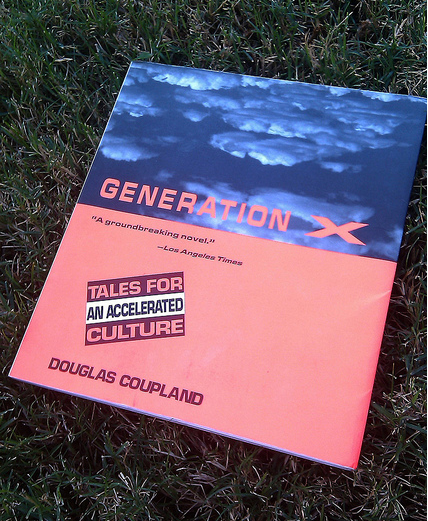
I am a Generation X kid. After reading the ASTD article, Guiding Generation X to Lead, I very much identified with all these Gen X perspectives:

  • resourceful and hardworking
  • meet commitments and take employability seriously
  • value self-reliance.
  • well-honed survival skills and nurtured networks prepare them to handle whatever happens
  • are comfortable in a global and digital world
  • adopted the collaborative technology to reshape how we work and live
  • has an unconscious acceptance of diversity
  • uncanny ability to redefine issues and question reality
  • skeptical and innovative
  • look for different ways to move forward
  • prepared to serve as pragmatic managers
  • options thinkers – like choices
  • like to develop multiple skills because that provides them with the opportunity to move in various directions

Although I identify with the Gen X’ers I still test high in the next generation with my “How Millennial Are You?” survey results sitting at 93%. I suppose I have worked and studied amongst Generation Y for sometime, and it is quite possible that I may have picked up on a habits or two.

There may be some differences between generations, however it is critical to find suitable practices, structures and methods for management that meet the needs of the entire team. This just means good management practices can help support generational differences, communication, group dynamics, staff training and retention of employees. The competition for talent will be initially addressed in the array of benefits to attract the top talent from across the generations (Rowe, 2010). It is also costly to replace experienced and skilled labor, so organizations should consider the creation of programs to encourage workers to stay or partially retire to help employee retention.

(Erickson, 2010)

Engagement, communication and inclusion of all employees across the generational groups is the key to long-term success. The following approaches to dealing with multigenerational workplaces was suggested from the the 2004 Society of Human Resources Management Generational Differences Survey that still hold true today:

  • communicating information in multiple ways
  • promoting collaborative discussion, decision making or problem solving
  • using team-building activities
  • offering different types of training to accommodate different generations
  • creating mentoring program between generations
  • training managers on dealing with generational differences

References:

Coupland, D. (1991). Generation X: Tales of an Accelerated Culture. New York, NY: St. Martin’s Press.

Erickson, T.G. (2010, August). Guiding Generation X to Lead. Training + Development Magazine, 16.

Rossi, J. (2007, November). What Generation Gap?: Are generational difference in the workplace a myth? ASTD Training + Development Magazine, 10-11.

Rowe, K.A. (2010, March). Managing Across Generations. Infoline: Tips, Tools, and Intelligence for Trainers. Volume 27, Issue 1003.